Ignore tests
Sometimes a test shows a change you’re not ready to address, such as an unexpected diff from an unrelated commit or a new story that isn’t ready for review. Ignoring the test lets the build pass while you address the change later.
Looking for a different kind of ignore? Flake Filter automatically ignores unstable tests, and you can quarantine a test to ignore it on every build. You can also ignore specific elements within a snapshot, or disable snapshots for tests you never want captured.
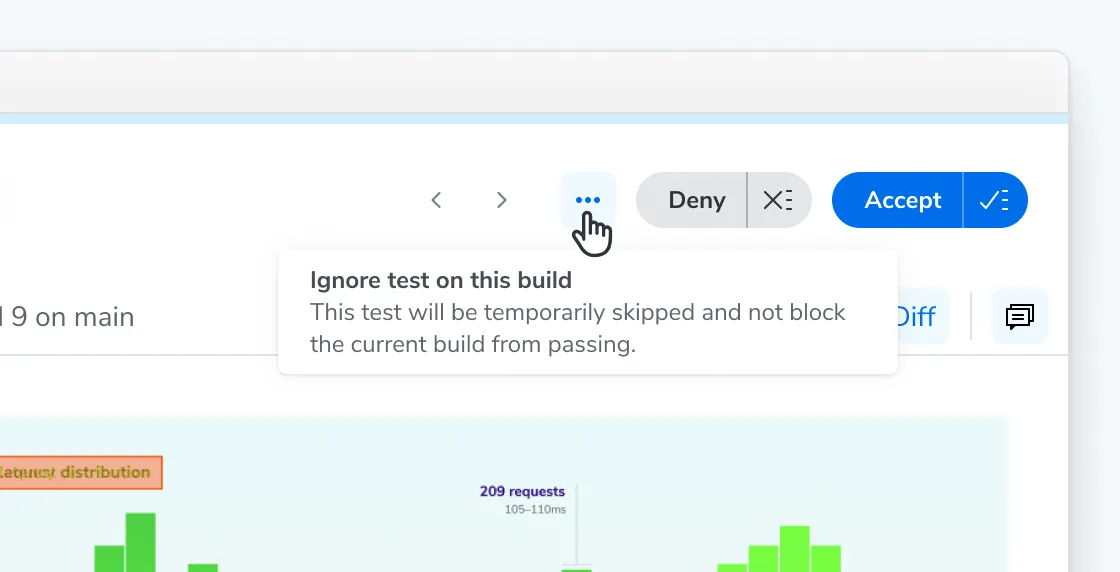
To ignore a test, open the context menu on the test’s page and select Ignore test on this build.
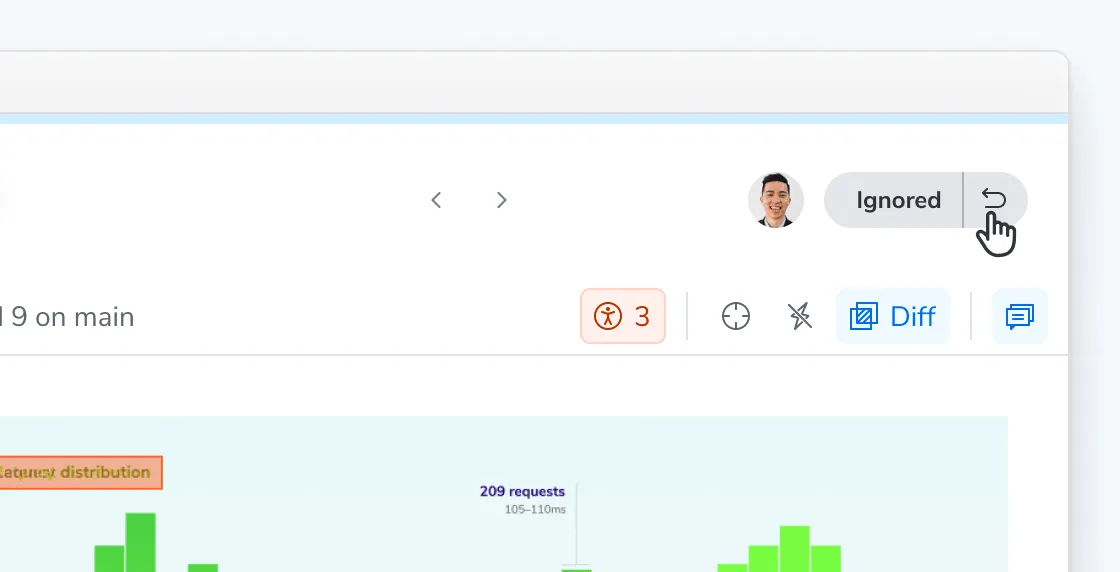
If you change your mind, you can un-ignore the test to return it to the unreviewed state on the same build.
Ignoring is scoped to a single build: an ignored test is captured and compared as usual on future builds. Ignoring a test also doesn’t affect your baselines unless you take action to accept or deny it.
What’s the difference between ignored, auto-ignored, and disabled tests
| What it does | Scope & Persistence | |
|---|---|---|
| Manually ignored | You ignore a specific test on a specific build so the build can pass without accepting the change. | That build only and does not carry over to other builds. |
| Auto-ignored | Flake filter ignores a test it detected as unstable. | Specific build. Re-evaluated on every build. |
| Quarantined | You quarantine a test so its diffs are ignored on every build. | All builds on all branches, until you un-quarantine it. |
| Disabled | The test is not captured at all. | For every build where the parameter is set. |
Ignored and auto-ignored tests do not update the baseline and do not block the build from passing. Ignoring also does not change what Chromatic captures. An ignored test is captured and compared on later builds like any other test, and TurboSnap skips unchanged stories whether they were ignored or not.
Frequently asked questions
What happens if I accept or deny an auto-ignored test?
Once you accept or deny the snapshot, the test behaves like any other reviewed test for that build and stops following the auto-ignore rules.
Can I ignore tests for a whole project instead of build by build?
No. Ignoring applies to a single build. If a test is consistently unstable, quarantine it to ignore its diffs on every build while still tracking it. To stop capturing it entirely, disable it with disableSnapshot.
Are ignored tests shown in UI Review?
Auto-ignored tests are filtered out of UI Review. An unstable test is unlikely to be related to the code changes under review, so showing it to reviewers adds noise.
What happens to ignored tests on an upgrade build?
On upgrade builds, ignored tests are treated as passed and auto-accepted rather than staying ignored. This applies to both manually ignored and auto-ignored tests.
How does auto-ignore impact accessibility tests?
An accessibility regression that occurs within an unstable test is also auto-ignored. However, if you accept the snapshot, it update the accessibility baseline too.
Can I batch-accept ignored tests?
Manually ignored tests are excluded from batch operations: “accept all”, “deny all”, and “mark all unreviewed”.