ContactSign inSign up
Contact

Comprehensive regression testing

Chromatic tests every component and page for visual changes and functional regressions. Every commit gets checked before merge.


Get started for freeBook a demo
Made for
StorybookPlaywrightCypress
theguardian logo
seek logo
github logo
indeed logo
mozilla logo
turo logo
theguardian logo
seek logo
github logo
indeed logo
mozilla logo
turo logo
theguardian logo
seek logo
github logo
indeed logo
mozilla logo
turo logo
theguardian logo
seek logo
github logo
indeed logo
mozilla logo
turo logo
theguardian logo
seek logo
github logo
indeed logo
mozilla logo
turo logo
Test the real UI
Chromatic takes pixel-perfect snapshots of real code, styling, and assets. This way your tests reflect exactly what your users see.
Coverage across browsers
Expand test coverage to Chrome, Firefox, Safari, and Edge in one click. All browsers run in parallel so your test suite stays fast.
Responsive viewport testing
Specify viewport widths in the same place as your stories. Configure viewports for single stories or all components.
Run tests in parallel by default
Your tests run on as many machines as needed, so results come back fast. Parallelization is automatic with no extra configuration.
No test flake
Tests run in a standardized environment to eliminate flake. We auto-detect when UI finishes loading, painting, and reflowing before taking a snapshot.
Automated testing with CI
Components get tested on every commit in CI so visual regressions get caught before merge.
“Chromatic has been indispensable since the day we added it. It has really increased the confidence and speed with which we merge changes 💯”
Siddharth Kshetrapal
Design systems engineer
GitHub

How does regression testing work?

Chromatic runs automated tests to compare your UI's current behavior against previously accepted baselines. When you push new code, Chromatic loads your UI in cloud browsers, executes UI Tests, and simultaneously verifies its appearance and functionality, enabling you to catch accidental regressions.

Powered by your Storybook

Your existing Storybook stories power Chromatic’s visual and interaction tests with no extra setup. Capture every UI state, test it on every commit, and review changes before merge.

Stories to tests
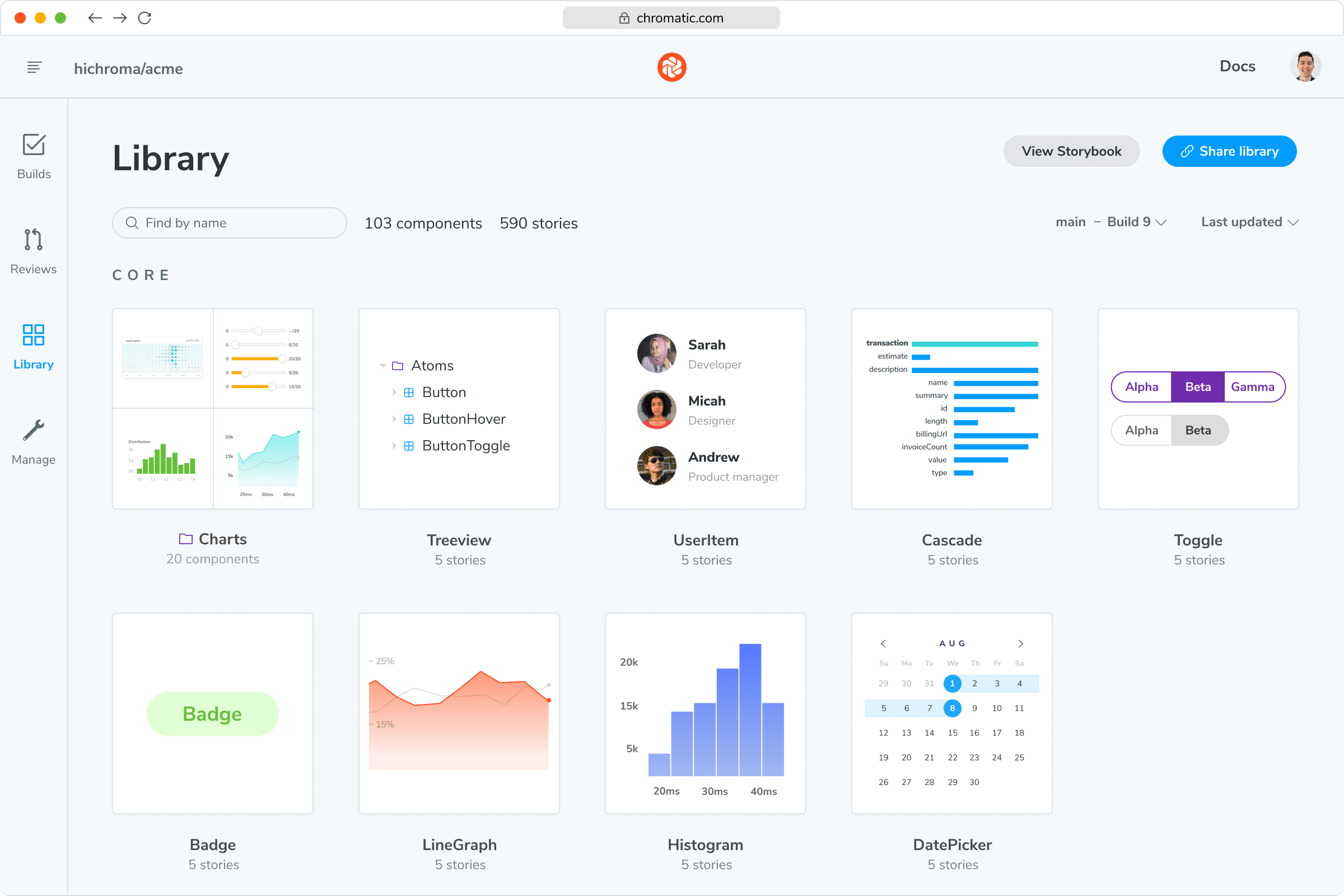
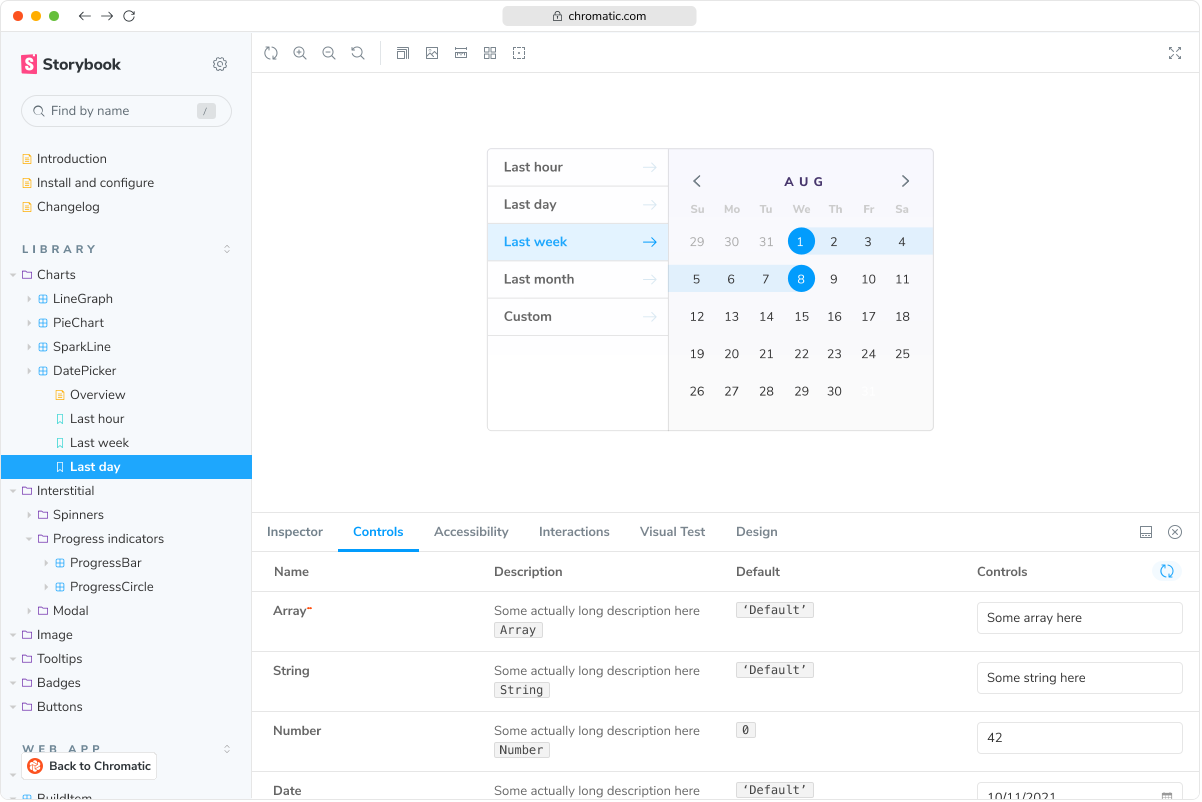
Storybook app that shows a component rendered in isolationChromatic Library view that shows all your components in one shared workspace

Why use Storybook? Every piece of UI is now a component. The superpower of components is that you can render a specific variation in isolation by passing in props and mocking APIs and events. Save these variations in a reproducible format called stories using Storybook.

Chromatic is built and maintained by the team behind Storybook. Together, Storybook and Chromatic give teams a structured way to develop, test, and document UI.

Playwright logo
Not using Storybook? Chromatic integrates with Playwright and Cypress to provide comprehensive visual coverage for your E2E tests.
Learn more
“The more things we have in Storybook, the more coverage we get in Chromatic.”

Dan Green-Leipciger
Dan Green-Leipciger
Sr. Engineering manager
wave

Detect even the tiniest of regressions

From colors to component logic, Chromatic flags any changes in appearance and functionality by comprehensively testing your UI. This helps prevent accidental regressions and enables you to ship with confidence every time.

Accuracy to the pixel
Even the tiniest tweak can set off major bugs. Our eagle-eyed algorithm catches the subtlest UI changes.
Multiple perspectives to view changes
See changes quickly using different views: 1up, 2up, Diff, and more. Each view emphasizes changes in a unique way.
Selectively ignore elements
Ignore specific UI elements from your tests, focusing only on the changes you care about.
“Visual diffs make changes apparent and unmistakable... Chromatic has been extremely useful and confidence-inspiring.”
Lauren Eastridge
Lauren Eastridge
Director of open source
Formidable

Merge without the conflicts

Review changes at a glance in Chromatic before you merge. Stay in the loop with instant notifications straight to Git and CI tools with no surprises.
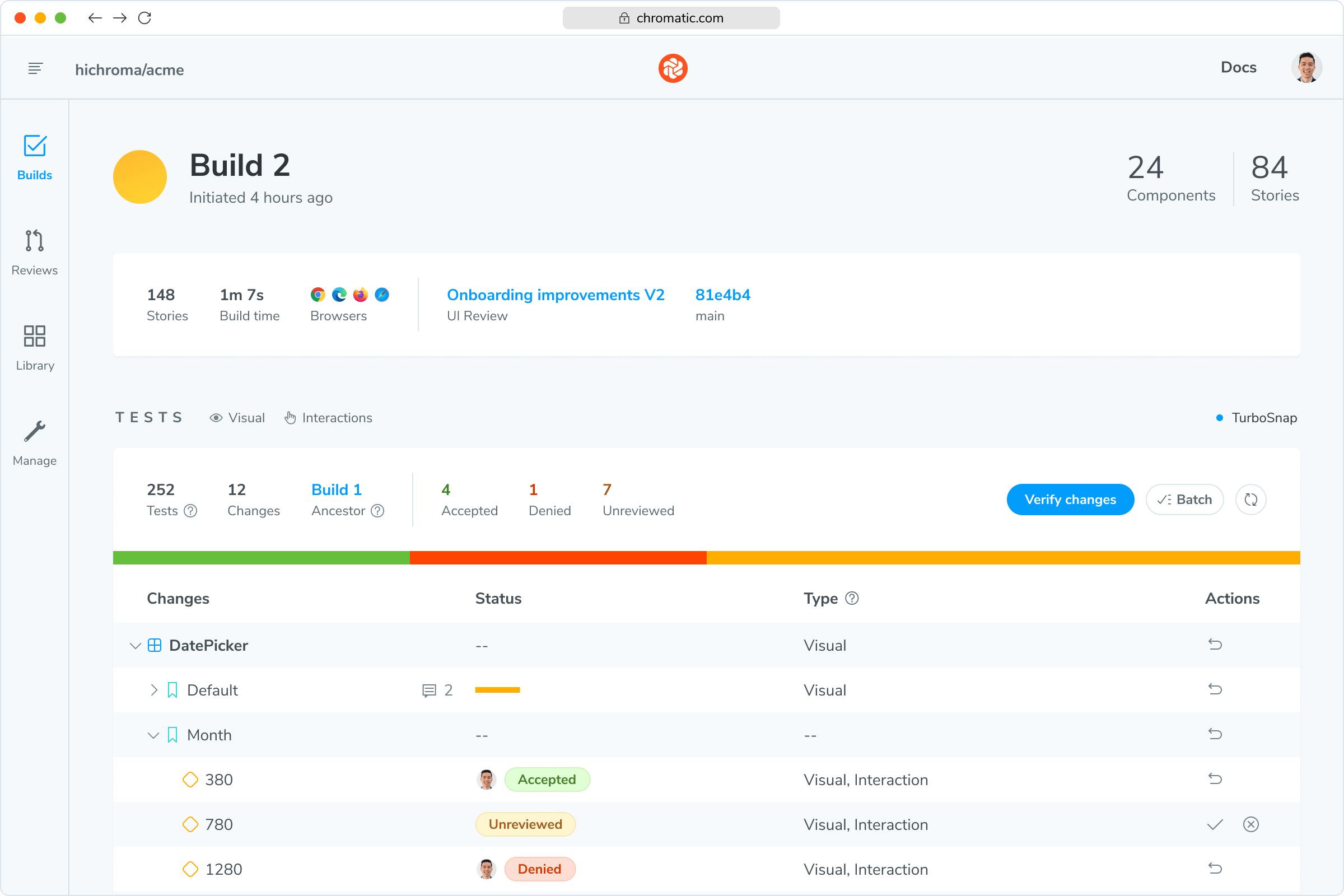
screenshot of Chromatic’s UI Test build screen
See what needs attention
Get a shortlist of important visual changes and interaction test failures that require human attention.
Verify tests with your team
Bring design, product, and engineering into the review when a failed test needs a second opinion.
pin
Pin comments to changes
Get straight to the point by pinning comments directly on visual changes. Mention teammates to ask for feedback.
Fully-inspectable components
Reproductions are easier than ever with fully inspectable DOM, styling, and assets uploaded with each test.
Smart branching and merging
Keep track of your component variations across branches to get conflict-free merges. Zero configuration.
GitHubBitbucketGitLab+ SSO/SAML
Integrates with CI & version control
See build status in pull requests and keep access in sync with your Git provider or SSO.
Never fix the same bug twice.

Frequently asked questions

“I really believe Chromatic was the last missing block to really perform visual regression testing. In an era where front-end development tools got more and more visual, testing interfaces had to inherently become visual: this is Chromatic.”
Loic Chollier
Loic Chollier
Sr. Director of engineering
trax