ContactSign inSign up
Contact

Test components in the browser

Simulate clicks, typing, and hovers right in your browser to ensure that components work perfectly. Debug faster with DOM-based assertions and the exact browser state behind each failure.

Get started for freeBook a demo
Storybook iconMade by the Storybook team
wealthsimple logo
seek logo
github logo
circleci logo
mozilla logo
vscode logo
wealthsimple logo
seek logo
github logo
circleci logo
mozilla logo
vscode logo
wealthsimple logo
seek logo
github logo
circleci logo
mozilla logo
vscode logo
wealthsimple logo
seek logo
github logo
circleci logo
mozilla logo
vscode logo
wealthsimple logo
seek logo
github logo
circleci logo
mozilla logo
vscode logo
Run tests in the browser
Component tests run in the browser, the same environment you use to develop components. That makes reproductions straightforward.
Debug with browser devtools
Simplify debugging by doing it directly in browser devtools with full access to DOM, styling, and assets.
Integrates with Git and CI
Component test status is reported in pull requests and CI so your team can act on failures quickly.
Cross browser & responsive
Expand test coverage to Chrome, Firefox, Safari, and Edge in one click. All browsers run in parallel so your test suite stays fast.
Tests run in parallel by default
Your tests run on as many machines as needed, so results come back fast. Parallelization is automatic with no extra configuration.
Testing LibraryJestVitest
Battle-tested in open source
Getting started with component testing is easy because it uses industry-standard APIs. Testing-Library simulates user events. Jest and Vitest assert DOM structures.
“Chromatic helps us to prevent at least three critical UI bugs per week that would otherwise make our platform unusable.”
Orr Gottlieb
Orr Gottlieb
Engineering manager
monday.com

How does component testing work?

Components do more than just render the UI—they also fetch data and manage state. Component tests let you verify this functionality by rendering the component in isolation, simulating user events like click, type & hover in the browser, and running assertions.

Powered by your Storybook

Stories capture all states and variations of components. They’re a structured way to keep track of UI test cases. Chromatic uses these stories to power component tests. Best of all, it just works with no configuration.
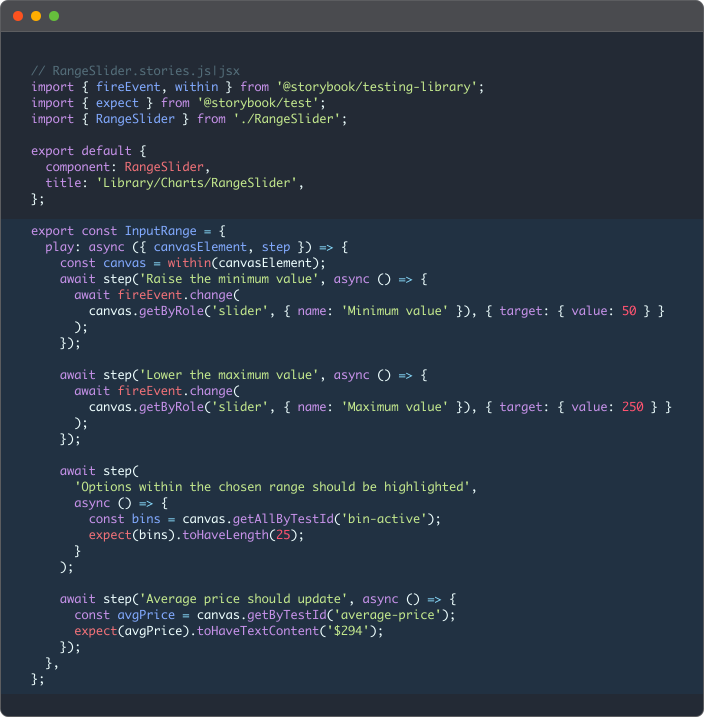
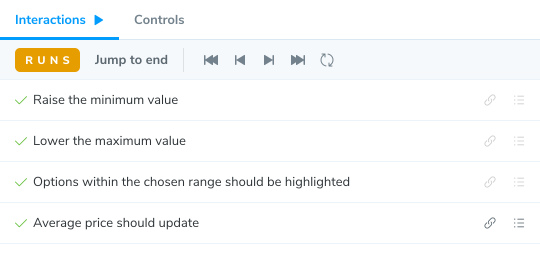
Component test code sampleExample of an component test with multiple steps
Storybook

Render UI in Storybook

Testing Library icon

Simulate user events with Testing Library

Vitest icon

Assert DOM structure with Vitest/Jest

See test results at a glance

Chromatic runs all your tests in parallel in the cloud, giving you a clean dashboard to spot errors fast. Push code, check results, and get back to building.
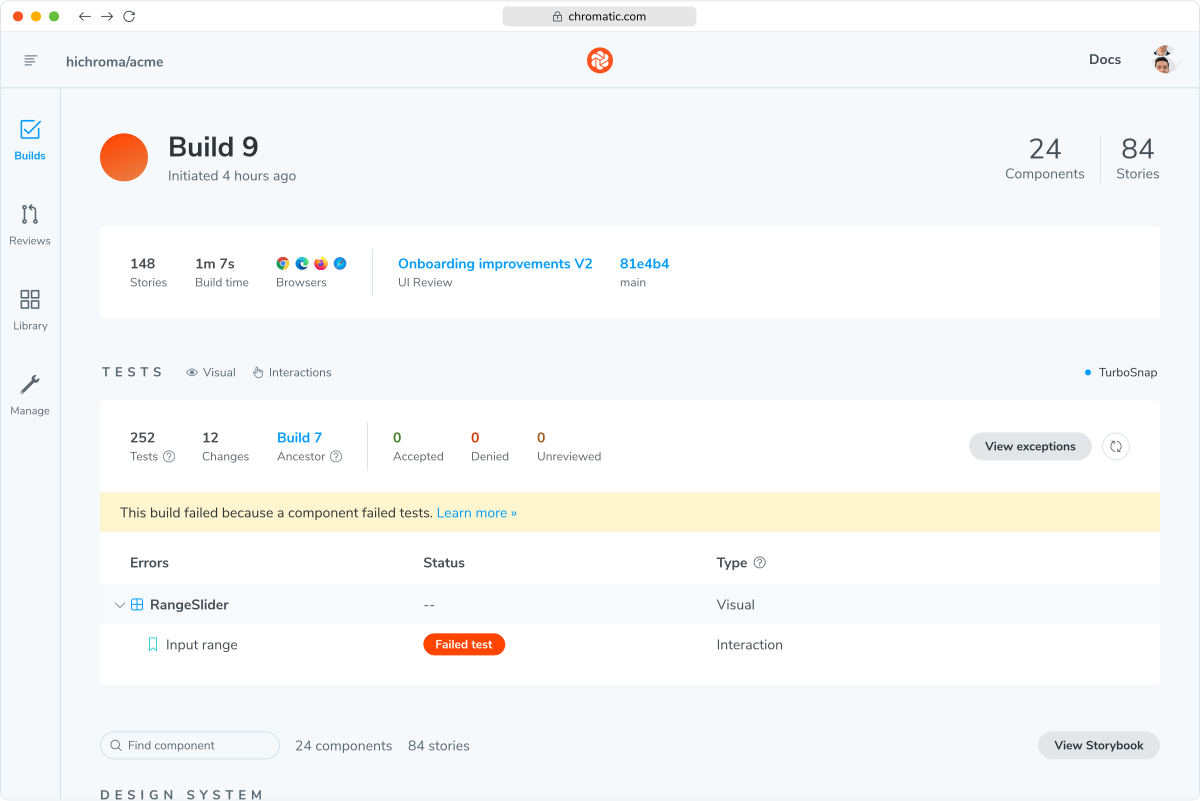
Image of Chromatic dashboard with failed tests
See what needs attention
Get a shortlist of important visual changes and interaction test failures that require human attention.
Verify tests with your team
Bring design, product, and engineering into the review when a failed test needs a second opinion.
Share links to debug
Send teammates a link to a specific instance of a component to ensure they’re referencing the same test you are.
“Chromatic has reduced the number of UI regressions we ship by two-thirds.”
Paul Vidal
Paul Vidal
CTO
Collective

Debug easily in your browser

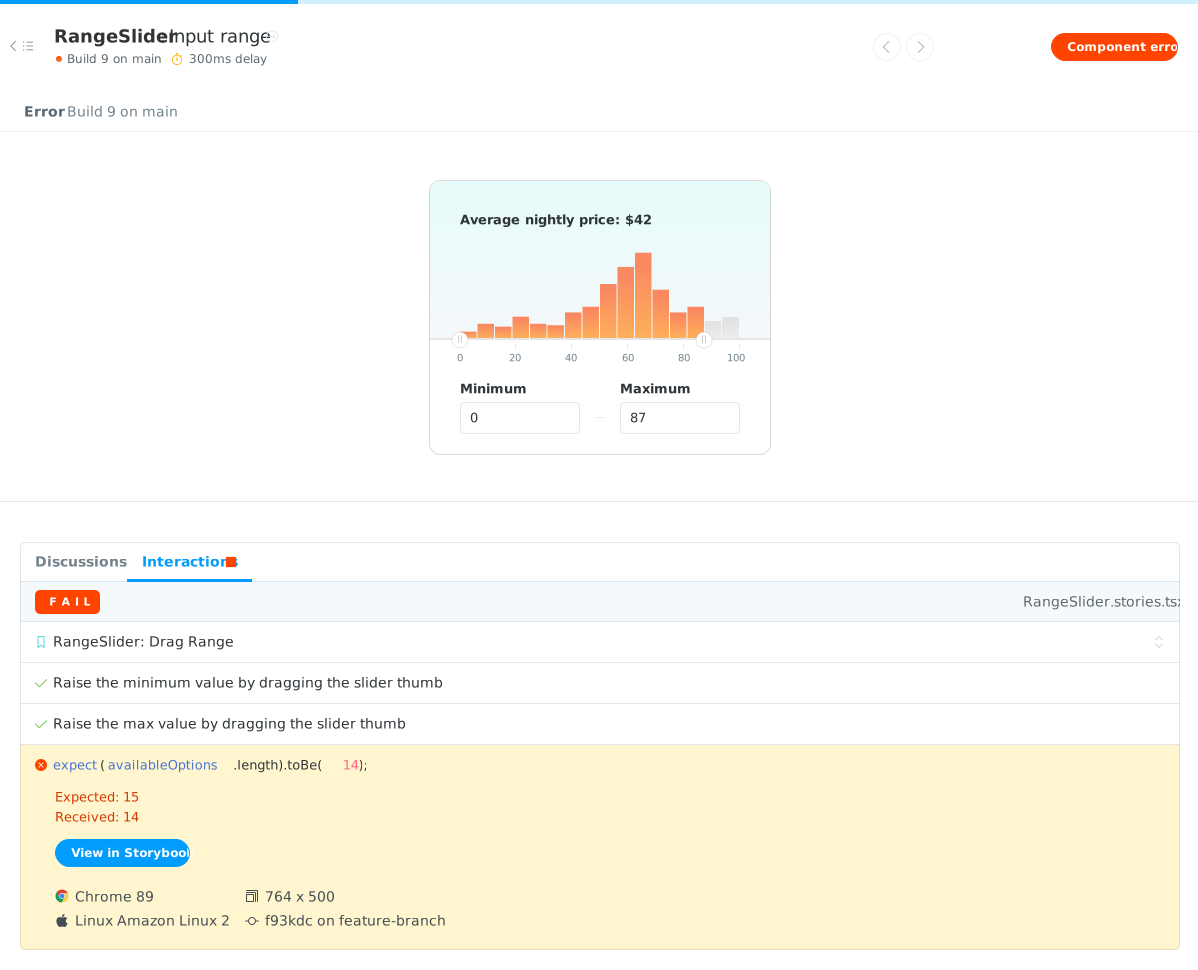
Reproduce and fix test failures directly in your browser—no test environment required. Debug with real code and devtools, then share a repro link with teammates in seconds.
Browser chrome
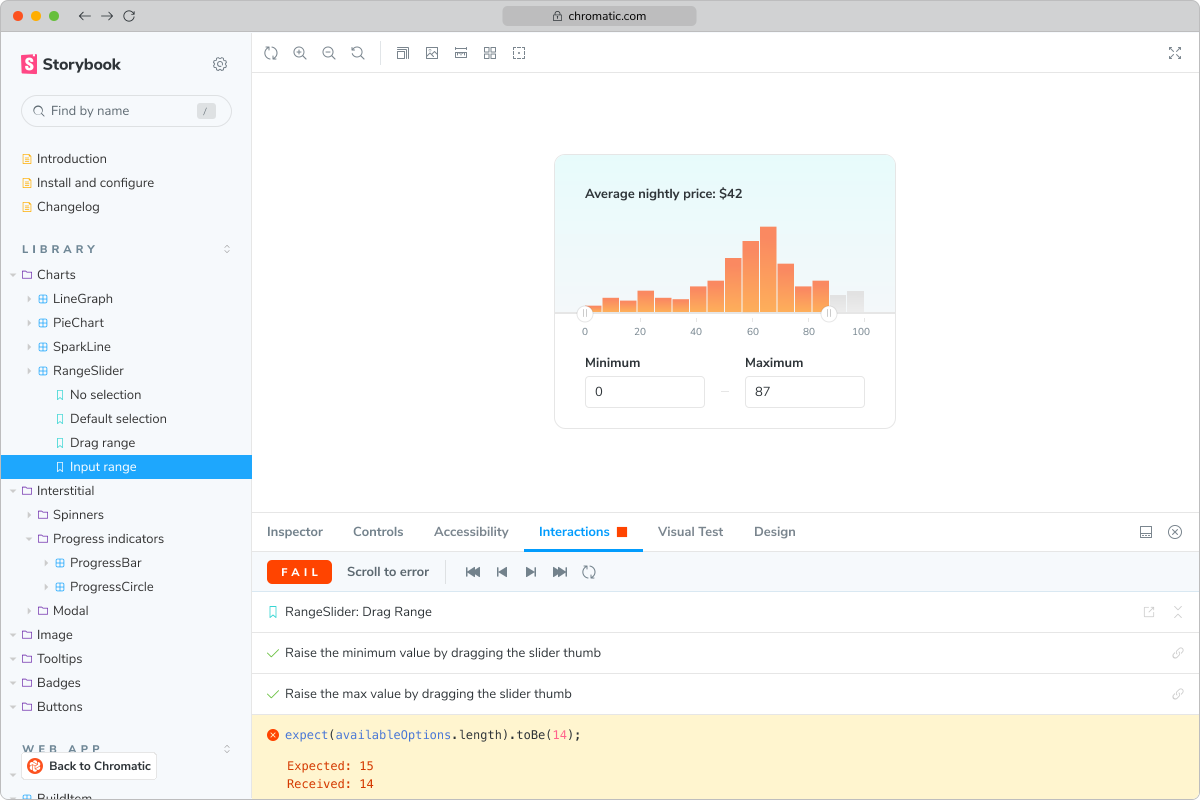
Chromatic build page with UI test failure
Published Storybook with component test errorpointer cursor
Error reports in Chromatic
Chromatic notifies you of component test errors and failed assertions. Each report includes steps to reproduce and environment information.
Fully-inspectable components
Reproductions are easier than ever with fully inspectable DOM, styling, and assets uploaded with each test.
Debug in published Storybook
Chromatic publishes your Storybook online so you can debug failed tests in a browser. Reproduce the exact state of your story when the test failed.

Integrate test results into CI

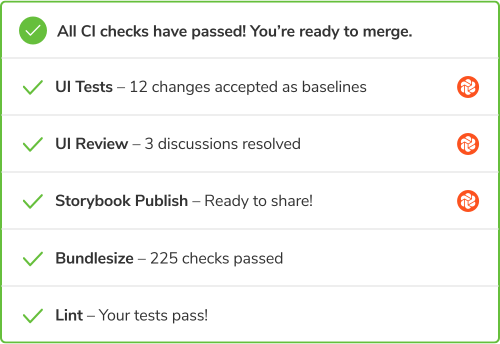
Add Chromatic checks to pull requests, send build notifications to Slack, and trigger custom workflows with webhooks.

Integrates with
CircleCIJenkinsBitbucketGithubGitlabBuildkiteAzure PipelinesTravis
Chromatic adds status checks for your pull/merge requests. The badges show errors or changes that need to be reviewed.
Never fix the same functional bug twice.

Frequently asked questions

“Chromatic is a valuable addition to our testing toolset. It helps us catch UI bugs a lot quicker and easier!”
Malek Hakim
Malek Hakim
Sr. Software engineer
Priceline