Reset baselines
Chromatic picks baselines for a build by looking at its ancestor builds in your Git history. Complex CI setups and Git workflows can occasionally point it at the wrong ancestor. When that happens, your build shows changes you didn’t make, and rebasing won’t fix it. Reset the baselines to give your build a clean start.
Reset baselines is in private beta. The feature isn’t generally available yet, and the option may not appear on your builds. To have it enabled for your account, contact support.
How a reset picks baselines
A reset uses the merge base build as the ancestor of the new build. That’s the build on the base branch that your branch started from. Chromatic captures visual snapshots for your stories and compares them with the baselines from that build.
If your branch has a UI Review, the base branch is the one the review merges into. Otherwise, it’s the project’s default branch.
Reset a build’s baselines
The option appears on the newest build on a branch. It doesn’t appear on builds on the base branch itself.
- Go to the build’s UI Tests page.
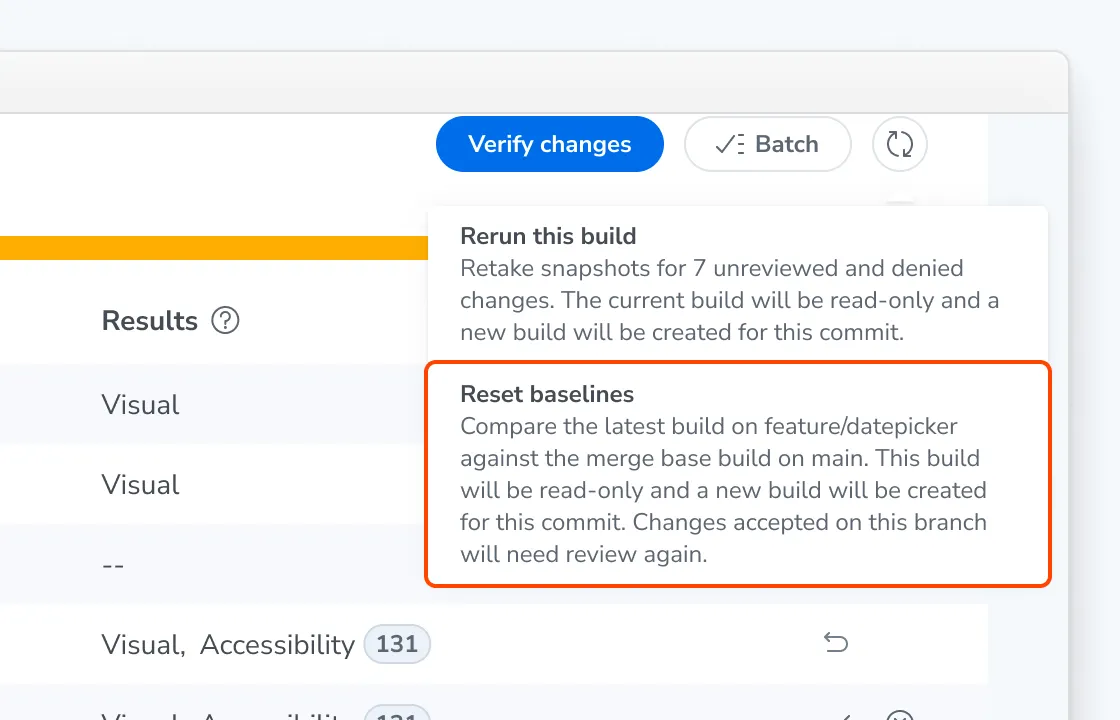
- Click the rerun button and select Reset baselines.
- Confirm in the browser dialog.
What happens after a reset
Chromatic creates a new build for the same commit and compares it against the base branch, so you see only the changes your branch introduces. There’s no need to close the pull request and reopen it under a new branch name.
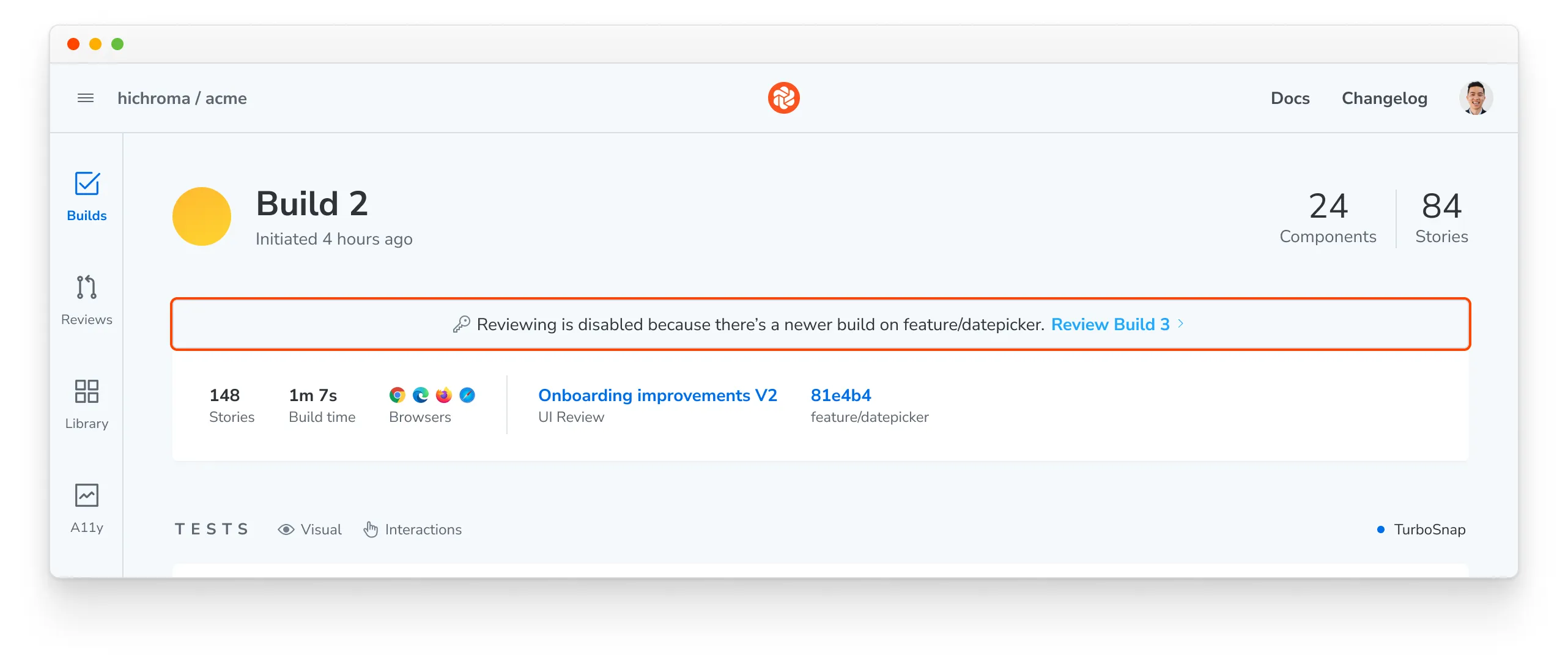
- Chromatic makes the original build read-only. The build shows a message that reviewing is disabled because there’s a newer build on the branch, with a link to the new build.
- The new build marks every change on your branch as unreviewed. Changes you accepted on the original build need review again. Comments on the original build’s tests don’t carry over.
- Your UI Review keeps its history. If the branch has a UI Review, the review shows the new build as its latest build and keeps its comments and approvals.
Troubleshooting
Why don't I see the Reset baselines option?
The option only appears on the newest build on a branch. It never appears on builds on the base branch itself.
Why does the menu say "Baseline reset is not available"?
Chromatic couldn’t find a merge base build to reset to. This happens when there’s no Chromatic build on the base branch at the commit your branch started from. The common causes are:
- Chromatic doesn’t run on your base branch. Run Chromatic on every push to the base branch.
- Your CI checks out a partial Git history. A shallow clone stops the Chromatic CLI from finding a parent build for the branch’s first build. Fetch the full commit history in CI, for example with
fetch-depth: 0in GitHub Actions. Then rebase your branch and push to run a new build. - Your branch shares no Git history with the base branch. A branch created with
git checkout --orphanhas no merge base, so there’s no build to reset to.