Chromatic for agents beta
Your agent reads test results, fixes regressions, and iterates till the PR is ready

Chromatic for agents beta
Agents now take screenshots of the UI to code frontend better. But a screenshot only shows the current state of the UI, and it can't tell you what changed. Also, the agents capture screenshots one at a time, so they only check a few key states. If there is unintended impact elsewhere, that often gets missed.
Customers choose Chromatic because it allows teams the enforce UI quality: visual, interaction, and accessibility checks, across all browsers, viewports, and even native mobile.
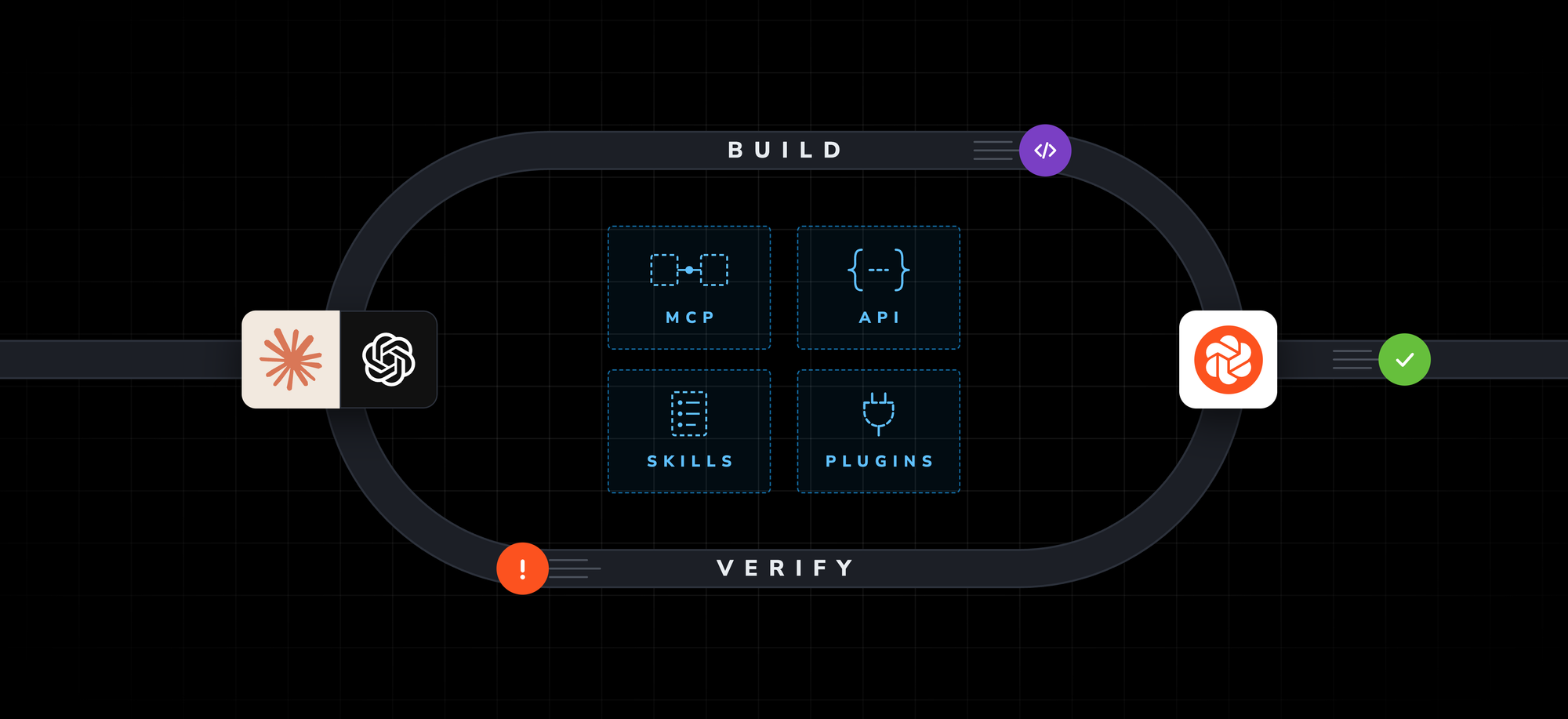
I’m excited to share that all your test suite’s context is now available to your agents. This allows them to find issues and fix them without extra steering from you. We're launching the beta for Chromatic’s official MCP server, skills, and plugins for Claude Code and Codex.
Gives agents a self-correcting loop
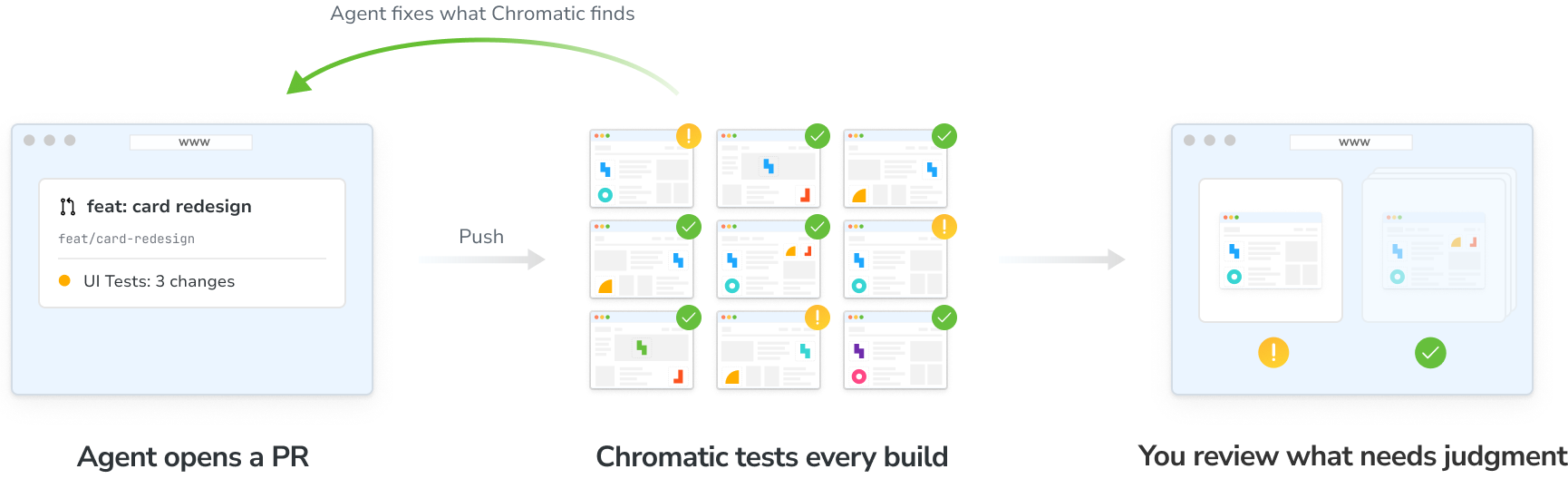
Our goal is for you to safely delegate entire frontend tasks to agents. Your agent writes the code, updates tests and opens a PR. It then reads the Chromatic build, checks if visual changes are regressions, fixes issues, and pushes again on loop until the PR is ready for developer review.
It only asks you when human judgment is required to verify intention.
This workflow is powered by:
Chromatic MCP connects your coding agent to your Chromatic account. The agent can monitor builds, pull diffs, accessibility violations, and failures, then fix the code and push again. With your approval, it can also accept, deny, or quarantine changes.
Skills teach your agent to use Chromatic the way you do: triage the build, trace unexpected visual changes, clear accessibility violations, and fix any broken tests.
Plugins for Claude Code and Codex that bundle the MCP and skills into a single install.
API enables you to build custom agent workflows and pull data into internal dashboards.
Agents fix broken interactions and accessibility violations
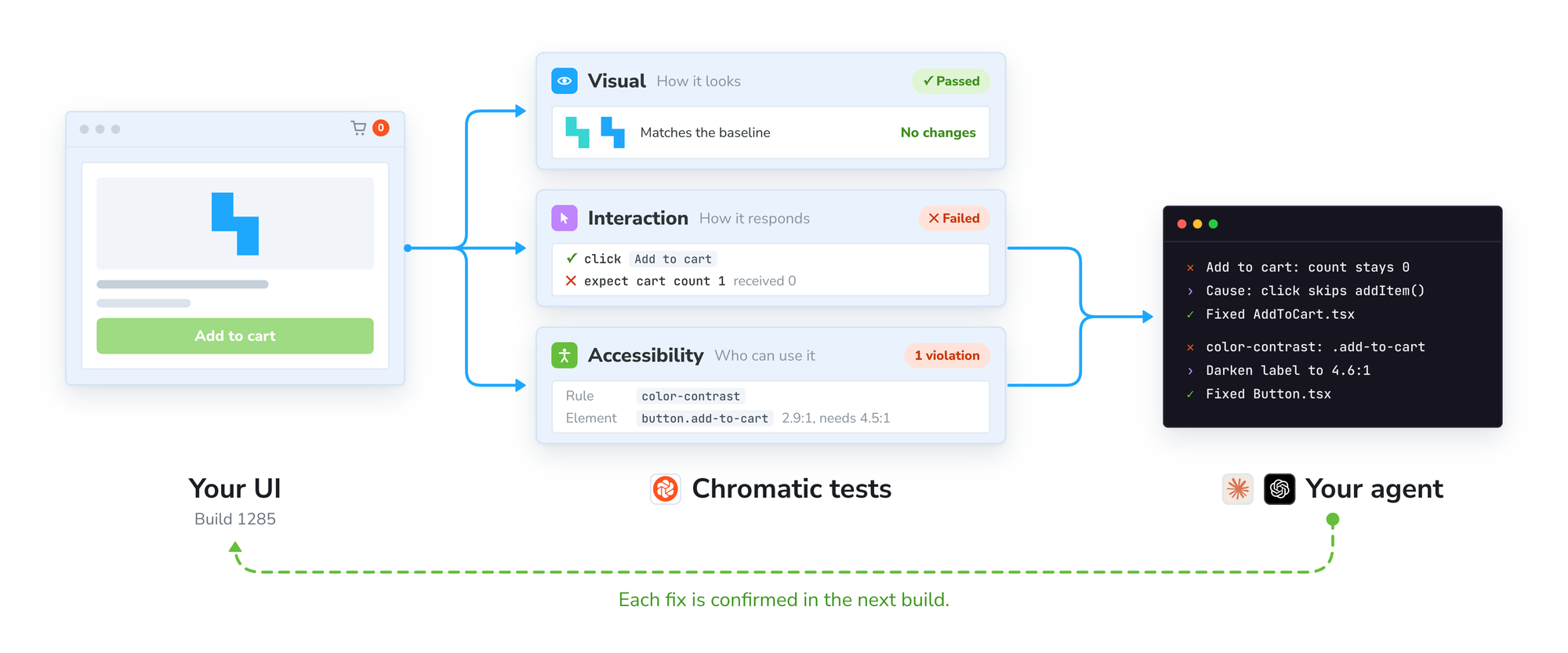
How the UI looks is only part of it. You also have to verify that interactions update state correctly, and that the interface works for people using assistive technology. Chromatic runs those checks too.
When an interaction test fails, the agent gets the failure details, finds the cause, and fixes it. When an accessibility test flags a violation, the agent gets the affected elements and the associated rule. It then fixes the violation and confirms that it's gone in the next build.
Quarantine flaky tests to keep the agent unblocked
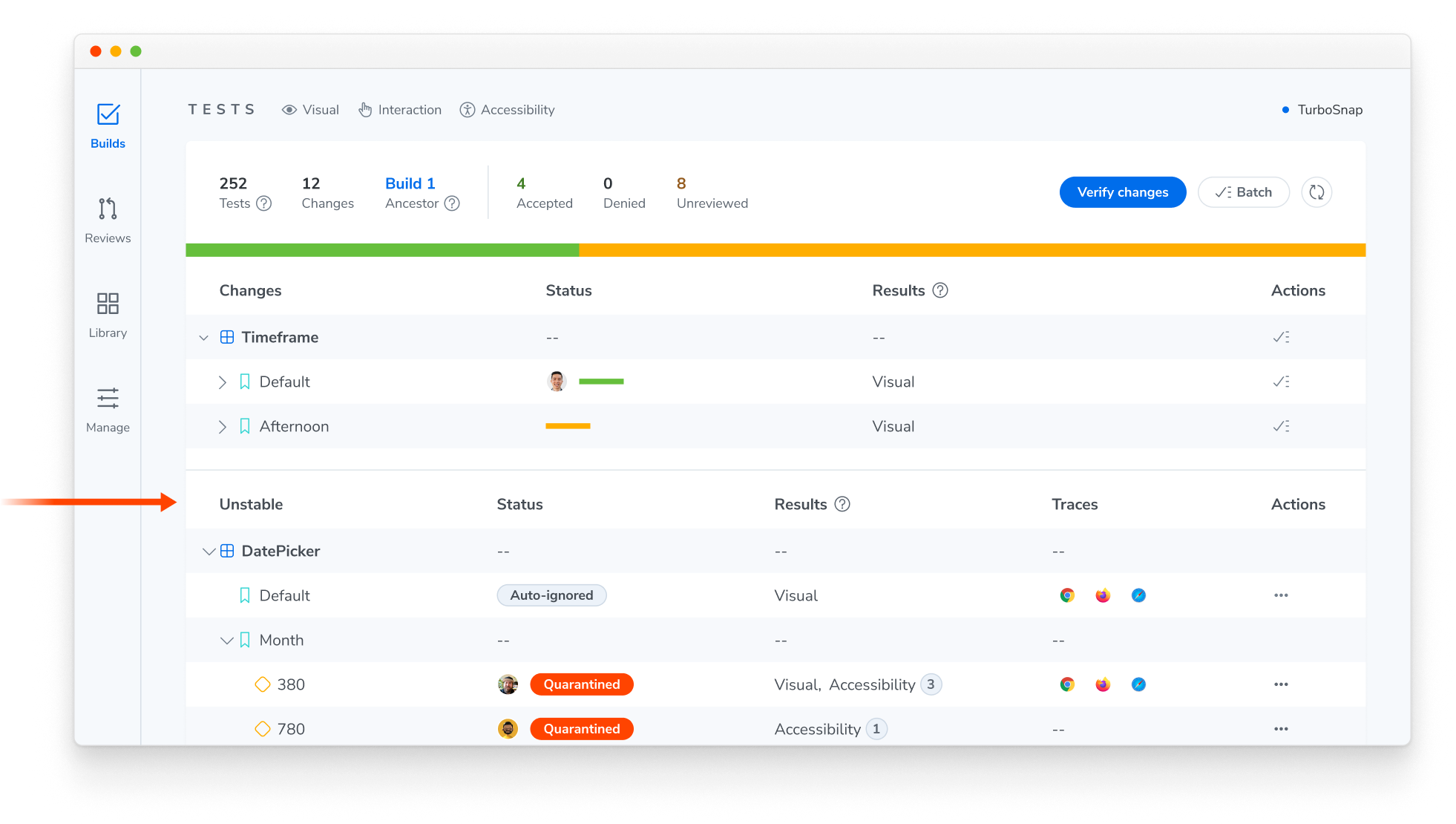
Agents get sidetracked "fixing" code that isn't broken because they can't tell a flake from a real regression. With auto-ignore, Chromatic filters out most flaky tests.
The ones that slip through usually need human judgment to tell them apart from real changes. Quarantine them so Chromatic permanently ignores their diffs on all builds, and so that your agent doesn’t trip over them.
Clear the maintenance backlog with cloud agents
You can’t just stop shipping to fix pre-existing debt. Teams adopt regression testing because it allows them to prevent new issues in PRs while keeping track of debt to prioritize later.
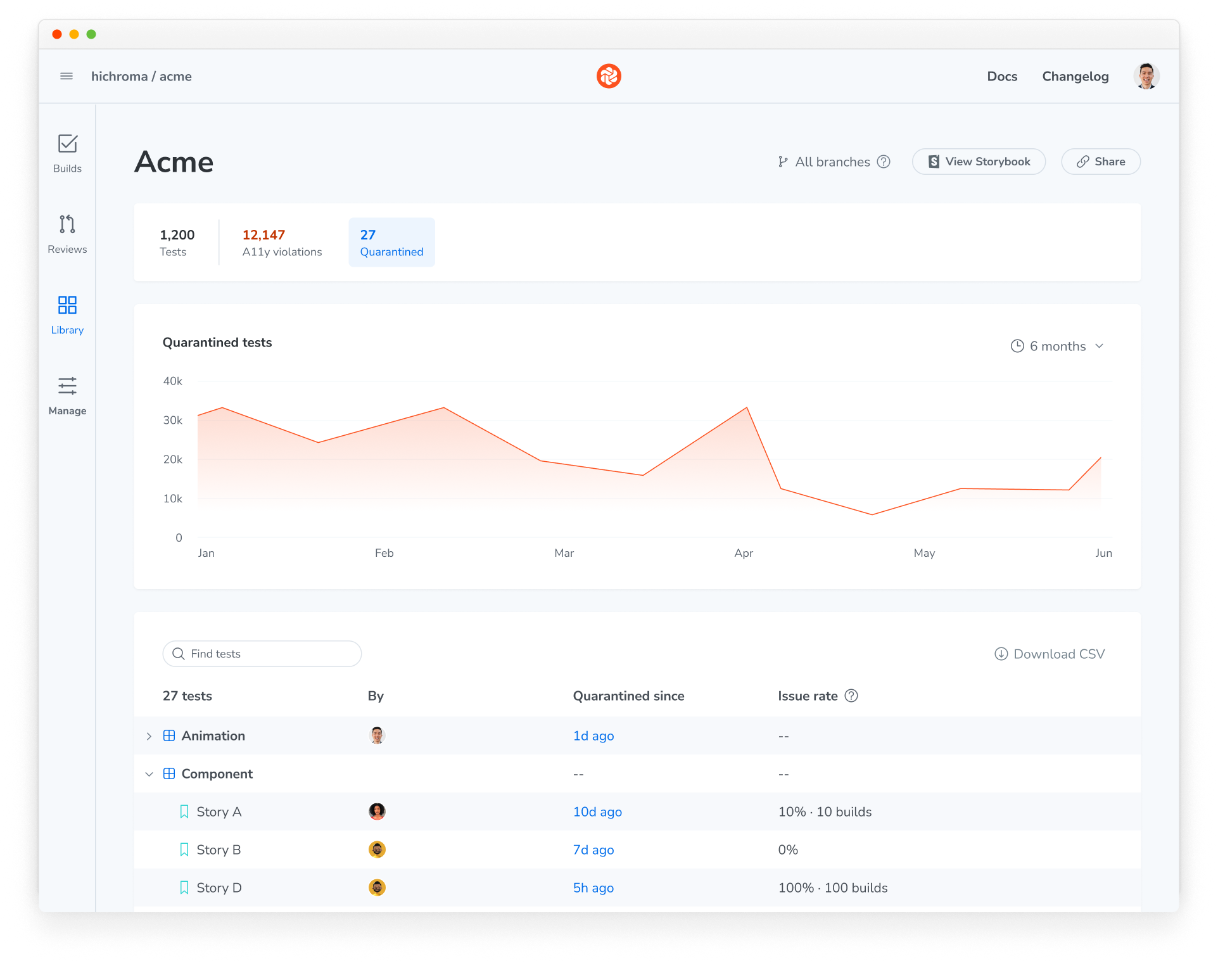
Chromatic’s Library gives you an overview of test coverage, a11y violations, and quarantined tests. Cloud agents can access this data via the API so they can work through debt in the background.
For example, assign a ticket like "Stabilize flaky tests for the Cart component," and the agent pulls the Cart's quarantined stories, finds the cause of the instability, pushes a fix, and runs a build to confirm the stories render consistently.
Get started with beta
1. Install the plugin to get started:
# Claude Code
claude plugin marketplace add chromaui/chromatic-plugins
claude plugin install chromatic@chromatic

# Codex
codex plugin marketplace add chromaui/chromatic-plugins
codex plugin add chromatic@chromatic
2. Authenticate: On Claude Code, run /mcp, choose chromatic, and approve in the browser. In Codex, run codex mcp login chromatic. Then ask your agent to connect your Chromatic project. It finds the project from your git remote and gets the latest build.
3. Then try out a workflow such as “Which visual changes on this build look unintended?” or “Fix the new accessibility violations Chromatic found on this branch.”
See it live on November 19
Want to see it in action? Join us for a live demo Thursday, November 19 at 12 PM EST // 1800 CET. We'll walk through setup, show an agent working through a real Chromatic build, and answer your questions.
Save your spot →
FAQ
Which agents can I use?
Claude Code and Codex get the full setup through the plugin: the MCP server and skills, plus hooks in Claude Code that check your build after you push. Any other agent that supports remote MCP servers can connect too, while skills can be installed using npx skills. See supported clients →
Does it cost extra?
No. The MCP server, skills, plugins, and API are included with your Chromatic account. The API has rate limits. Builds your agent pushes use snapshots like any other build.
Will the plugins be in the official marketplaces?
Yes. They're in review now and should be available in the coming weeks. Until then, install them from the chromaui/chromatic-plugins marketplace as shown above.
Can the agent accept changes without me?
Only if you allow it. Most of the MCP tools only read. Accepting, denying, or quarantining a test goes through one tool, chromatic_mutate, and your agent asks before each call unless you allow it to act on its own.
What can the agent access?
The same projects you can, and nothing more. When you log in, the agent gets a token that acts as you and is limited by your role in Chromatic. The token expires after 60 minutes, and you can log the agent out at any time.
What's the difference between Chromatic MCP and Storybook MCP?
Storybook MCP helps your agent build UI with the components you already have and write the stories that test it. Chromatic MCP tells it what those stories caught in CI and how to fix it. You can also publish your Storybook MCP through Chromatic to share it with your team.