Chromatic changelog: August 2026
Bypassed builds are now free, and new Trends dashboard to help investigate usage increase

AI coding agents are having a dramatic impact on your dev tooling spend. More commits and PRs mean more test runs, more CI minutes, and more snapshots. Tests are a crucial validation mechanism for both devs and agents, but you also want to get more value from all your tools.
This month, we’re rolling out two changes to help you test more with fewer snapshots:
- 🔀 Builds that don’t touch UI are free
- 📊 Trends dashboard to investigate snapshot usage spikes
Bypassed builds no longer consume billed snapshots
We’ve added a new bypass behavior to TurboSnap, so builds that don’t touch your UI are now free. Nothing is captured, nothing is copied, and you’re charged zero snapshots. TurboSnap detects a build as bypassed when there are no changes in any story’s dependency graph within that build.
For example, say your agent opened eleven pull requests. Every one of them kicked off a Chromatic build, but four never touched the UI: a README tweak, a change to a backend handler, etc.
Previously, for those four builds, Chromatic would copy those snapshots forward at 0.2 billed snapshots each. As of this week, Chromatic will bypass those builds and they’ll cost nothing.
Bypassed builds require TurboSnap enabled, and Chromatic CLI 17.7.0 or later. For the full set of conditions, see bypassed builds.
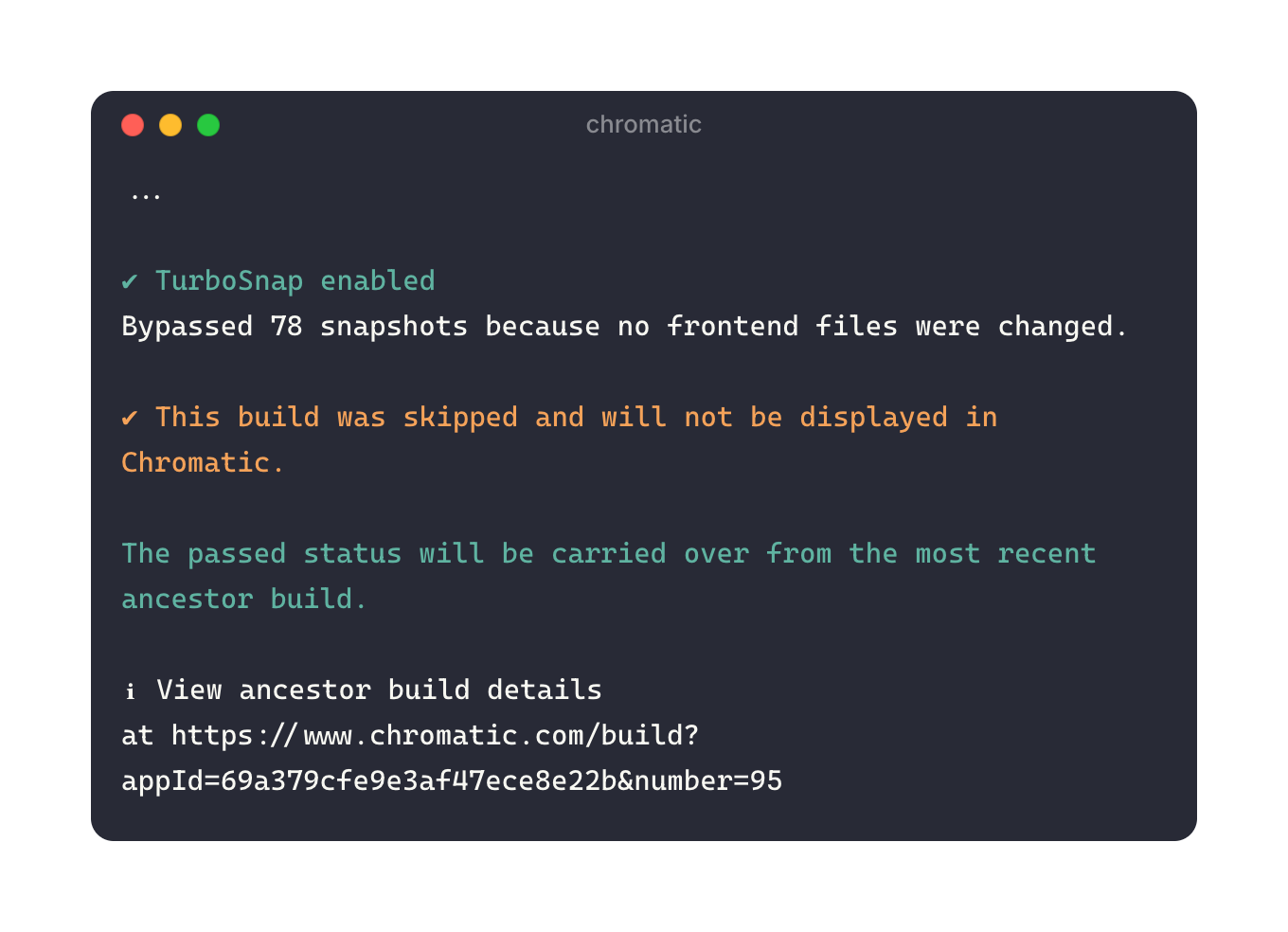
Your Chromatic workflow stays the same. Your CI checks still report as expected. A bypassed build inherits its commit status from the last build that had copied or captured snapshots. A bypassed build does not enter your project history, so it can’t become an ancestor or update baselines.
Trends dashboard for investigating unexpected increases
TurboSnap is a powerful lever for controlling billed snapshot usage. But how do you know whether you’re using it effectively, or if other factors are contributing to spike in usage?
The new Trends dashboard charts every factor that affects billed snapshots: number of builds you run, how many snapshots each build produces, and what those snapshots cost on average.
Go to the Billing page and click “Trends”. Then follow the new Optimize usage guide to identify what’s driving the increase and how to rein in usage.
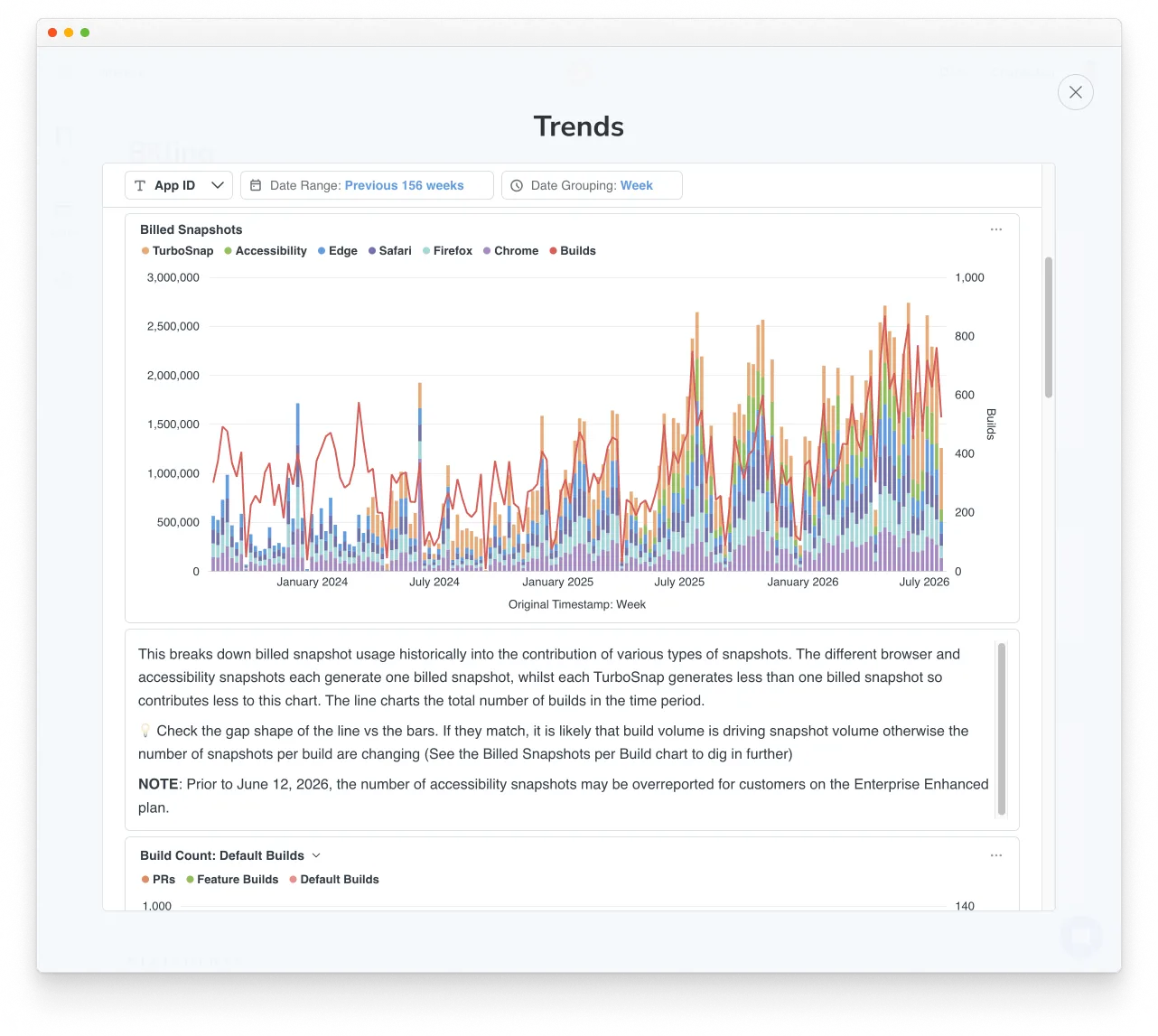
Use Trends to evaluate how efficiently you’re using Chromatic
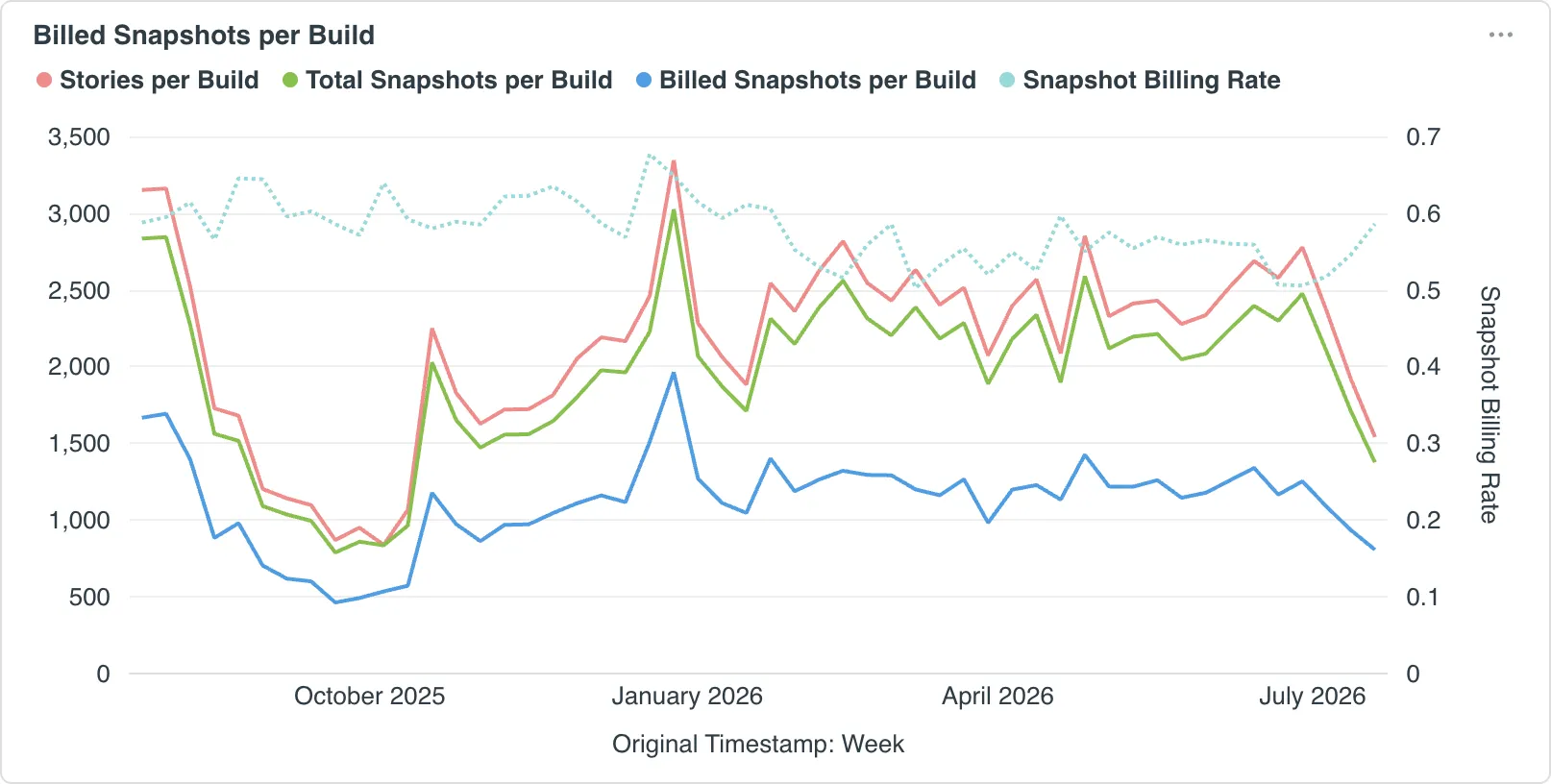
One of the key metrics that the Trends dashboard reports on is Snapshot Billing Rate: billed snapshots divided by total snapshots. It’s a great measure of whether your Chromatic usage is becoming more or less efficient over time.
A rate near 1.0 means most snapshots are being captured rather than copied. That’s expected when there are sweeping UI changes or a dependency bump.
If it stays near 1.0 across builds that have more targeted changes, check whether TurboSnap is running full rebuilds more often than it needs to.