Chromatic changelog: October 2026
Automatically assign reviewers with component owners, plus a combined Library view and default usage alerts

Whether your code comes from developers, agents, or a mix of both, your UI is changing faster than ever. This month’s updates help you keep up:
- 👥 Component owners assign the right reviewers to every UI Review
- 🔁 SteadySnap stabilizes flaky interaction tests
- 📚 Library page combines tests, accessibility & quarantined stories into one dashboard
- 📸 Capture 9 is now generally available
- 🔔 Default usage alerts email you when you use up your included snapshots
Component owners automatically assign reviewers (beta)
In large codebases, different people or teams are responsible for different parts of the UI. For example, one team might own the design system and another the shopping cart. COMPONENTOWNERS maps components to the people responsible for them, so they’re assigned as reviewers when those components change.
A COMPONENTOWNERS file works like a CODEOWNERS file, except the rules match a story’s path instead of a file path:
# Fallback owner for every story (must come first)
*                     kyle@acme.com

# Design system
Forms/**              dom@acme.com varun@acme.com

# Story-level override
Forms/Input/Primary   varun@acme.com
On each build, Chromatic matches every changed story against your rules and adds those owners to the UI Review, alongside your default reviewers. Owners get notified, and every assigned reviewer has to approve before the UI Review passes.
Component owners is available to all accounts. To get started, add a COMPONENTOWNERS file to the root of your repo and use Chromatic CLI 18.8.0 or later. See component and story owners for path patterns and rule precedence.
SteadySnap now stabilizes flaky interaction tests
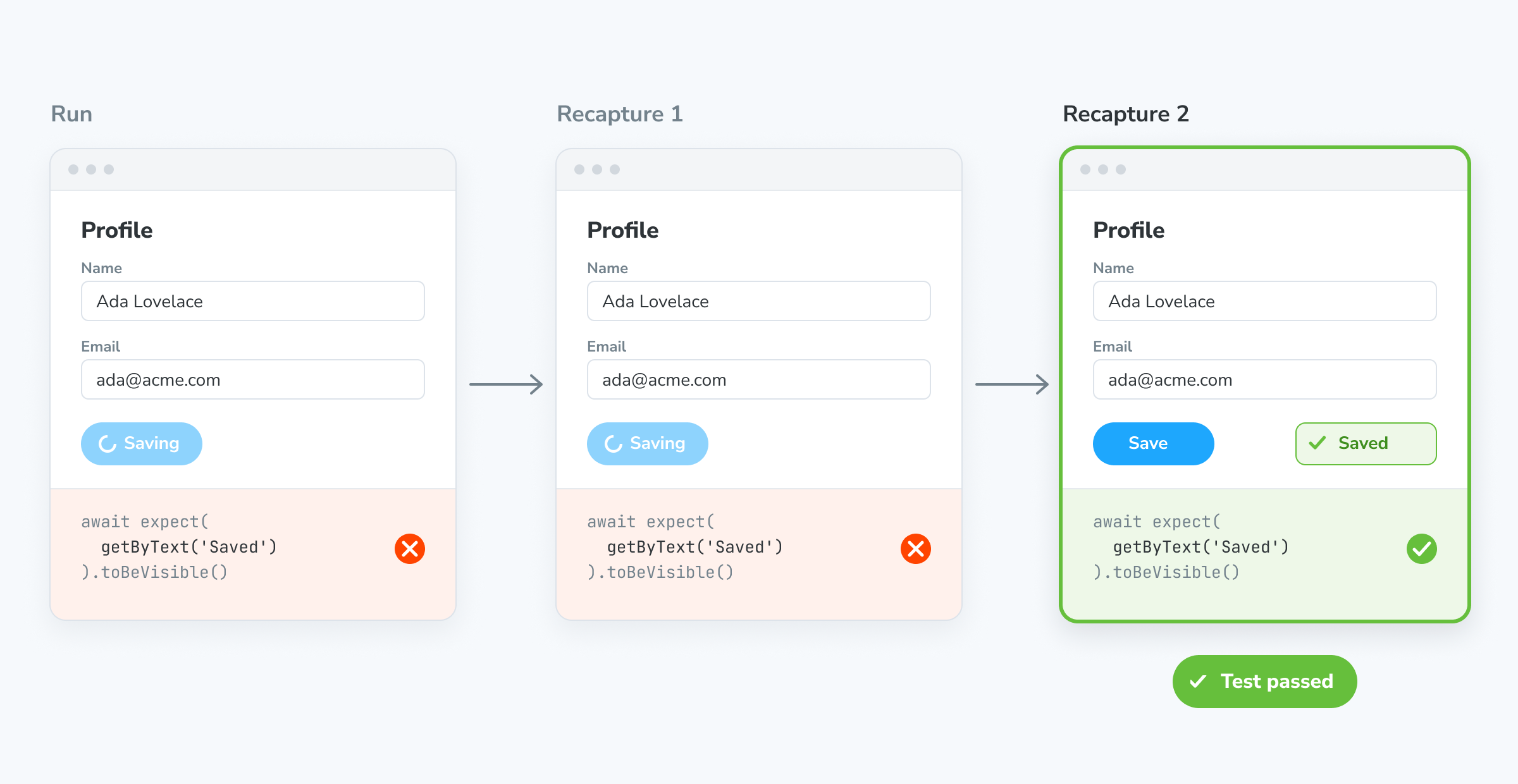
SteadySnap now keeps one-off interaction test failures from blocking your PR. When an assertion fails, Chromatic recaptures the story a few times before reporting the failure. If any attempt passes, Chromatic uses that one. If all attempts fail, you get the interaction failure as usual.
Failures that pass on a retry are usually timing issues, such as a slow mock response or a race condition in your play function, not bugs in your component.
Library now combines tests, accessibility & quarantined stories
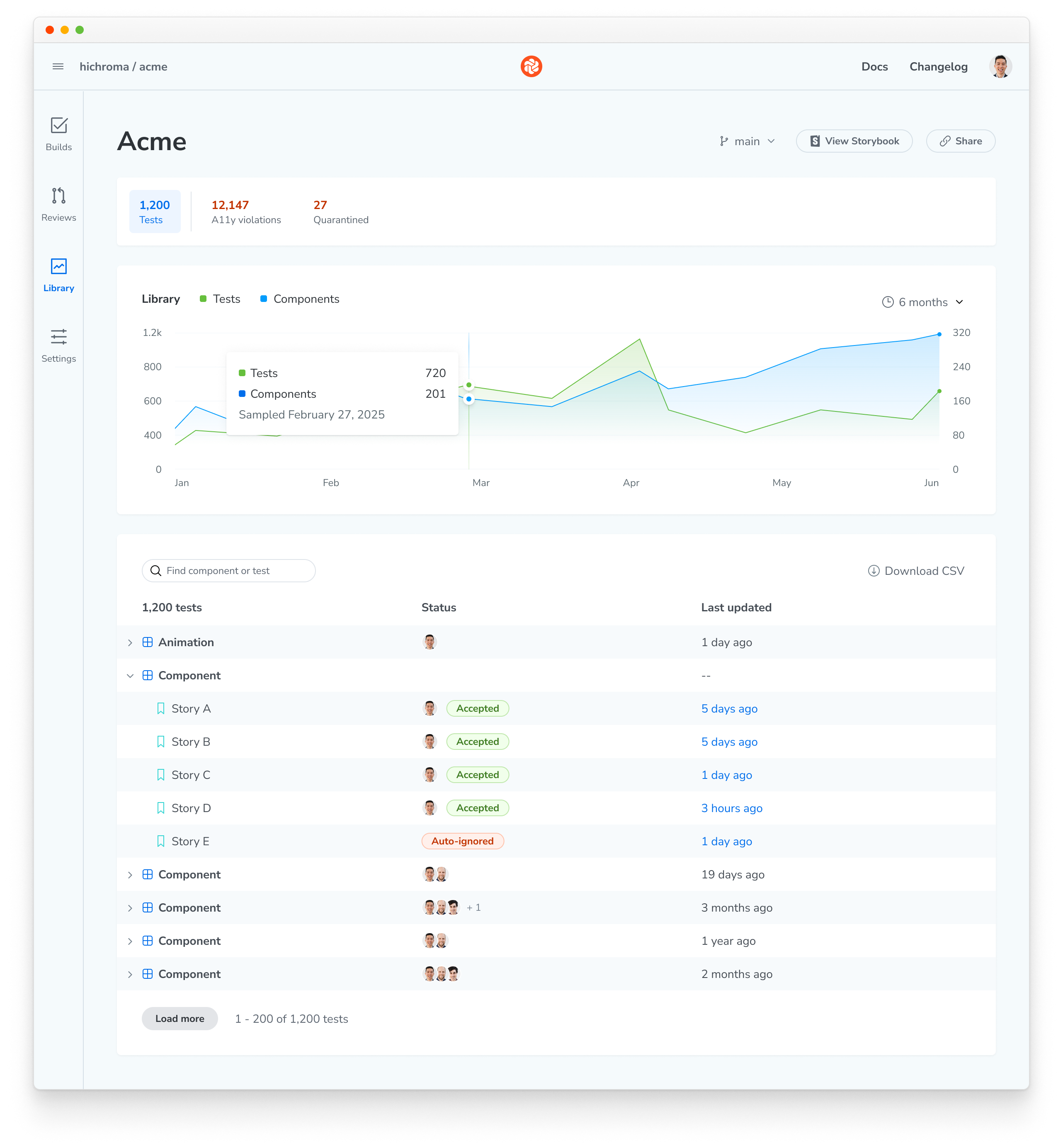
The new Tests view lists every component and story on a branch with its status, and charts how your test suite grows over time. Search and the option to Download a CSV export are coming soon.
Use the summary bar at the top to switch between the Tests, A11y violations, and Quarantined views.
Capture 9 is now generally available
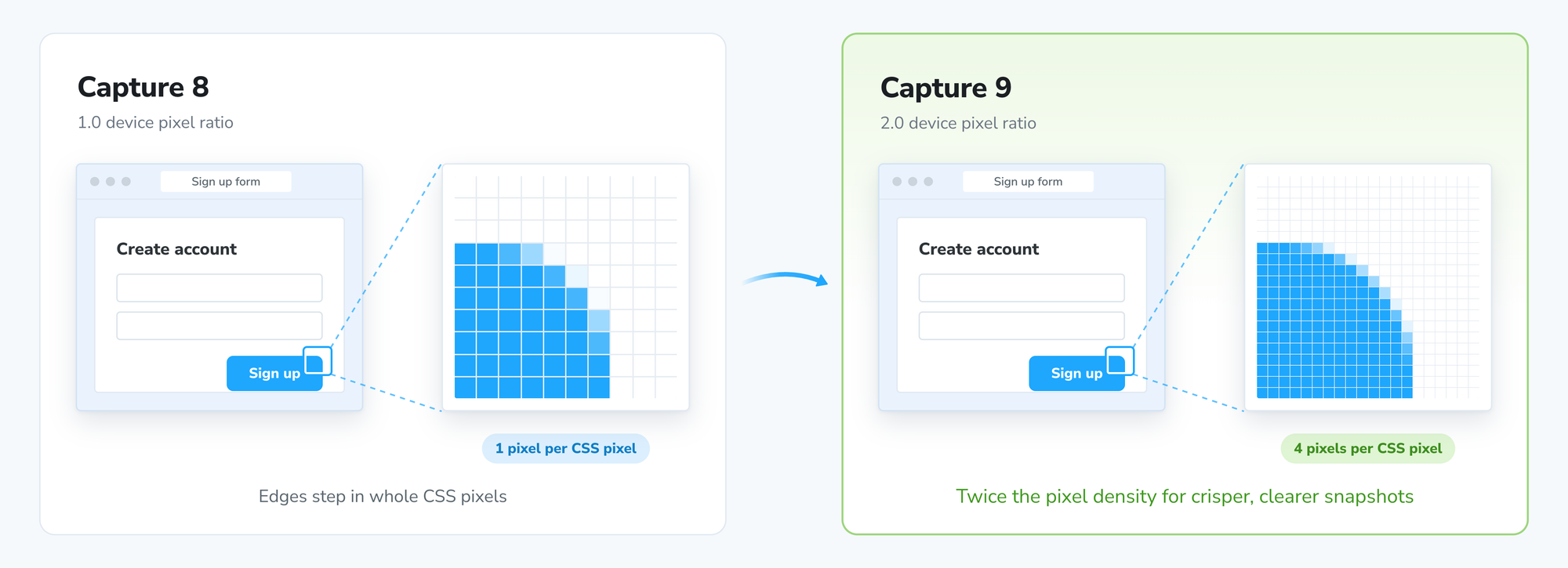
Capture 9 is the latest version of our browser infrastructure. Two highlights:
Sharper snapshots: Chromatic now takes snapshots at a 2.0 device pixel ratio (DPR). Your upgrade build compares these with your existing 1.0 baselines, so expect some unusual diffs. Builds after that compare 2.0 to 2.0.
More accurate animation pausing: Chromatic now uses the browser’s Web Animations API, so snapshots respect delays and fill modes, the same way they play for users. Pausing now runs after story re-renders and reaches animations inside open shadow roots too. If you added workarounds for the old pausing behavior, you may be able to remove them. SVG animation pausing is unchanged.
Usage alerts are now on by default
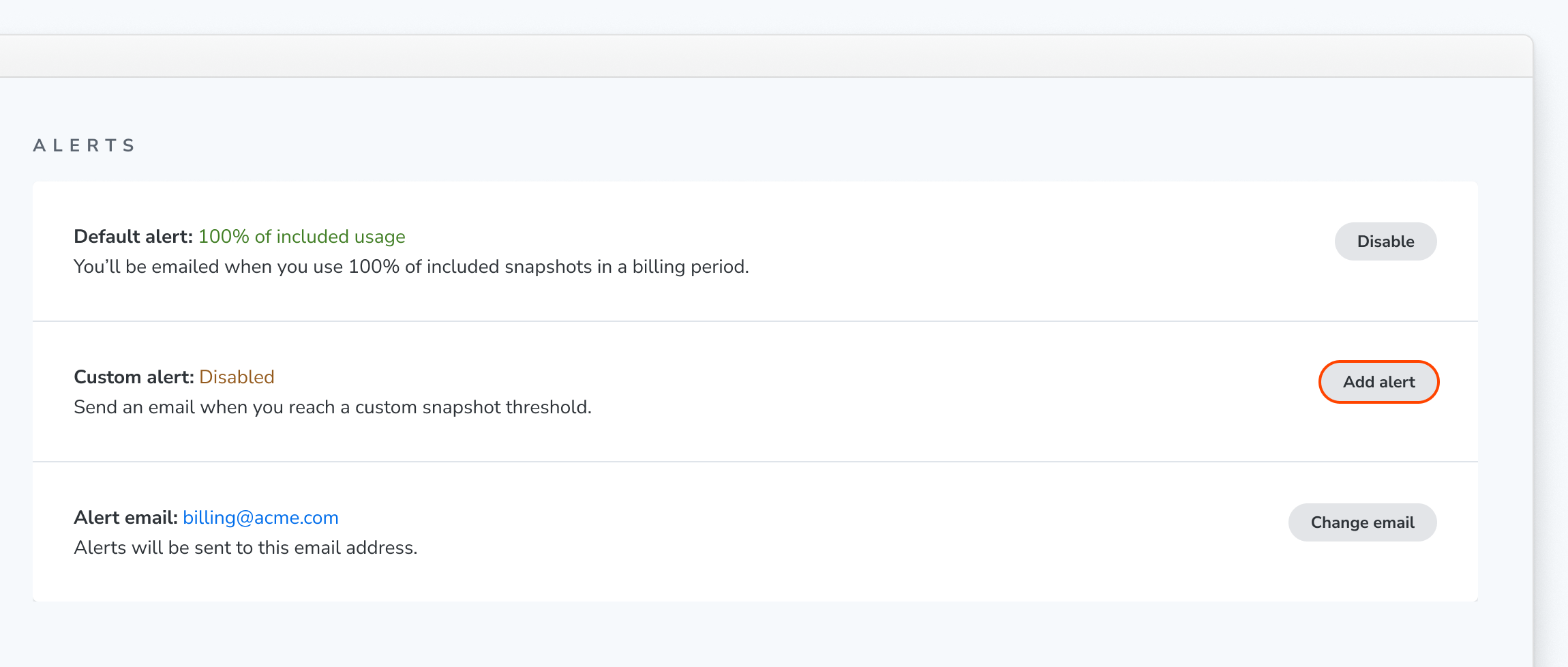
Every account now has a usage alert that’s on by default. When your builds use up your included snapshots, Chromatic emails you once per billing period.
Agents can cause sudden spikes in snapshot usage, and this way you are alerted to it before your invoice arrives.
Alerts default to your billing email. You can change that address in the Alerts section of the Billing page. From there you can also turn the default alert off, or add a custom alert for a lower threshold, like 90% of your included snapshots.