Chromatic changelog: Dec 2025
Accessibility testing updates for faster triage and Page Shift Detection upgrades

Since launching Accessibility Testing in July, we've been steadily refining the workflow based on your feedback. In this changelog, we'd like to share all the improvements we've made to the accessibility testing workflow. We'll also dive into updates to Page Shift Detection, which make reviews even faster.
- 🎯 Build screen: see diff counts for accessibility tests
- 🔍 Accessibility panel: smart sorting, auto-open behavior, and always-visible accepted violations
- 📊 Dashboard: search tests, group by rule, and share your exact view with teammates
- 🔄 Page Shift Detection now supports two additions to the page in a single commit
Accessibility testing updates
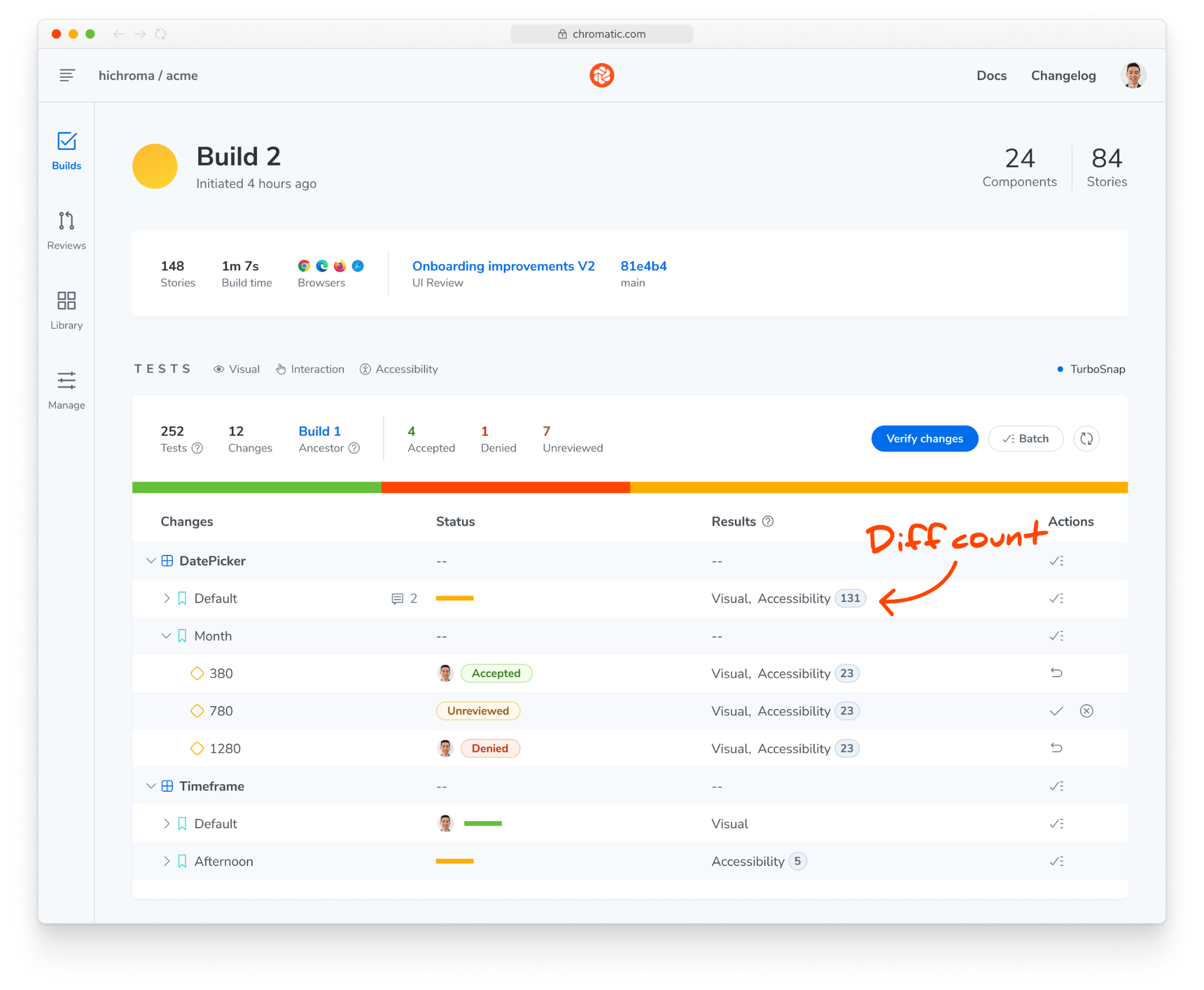
Build screen now shows accessibility diff counts
The build screen now features a redesigned results column displaying the type and accessibility violation count for each test. This update replaces the previous "type" column, which only indicated the enabled checks for each test.
You can now quickly scan your build to identify which tests have visual changes, new accessibility violations, or both—without needing to click into each story individually.
More prominent UI for new accessibility violations
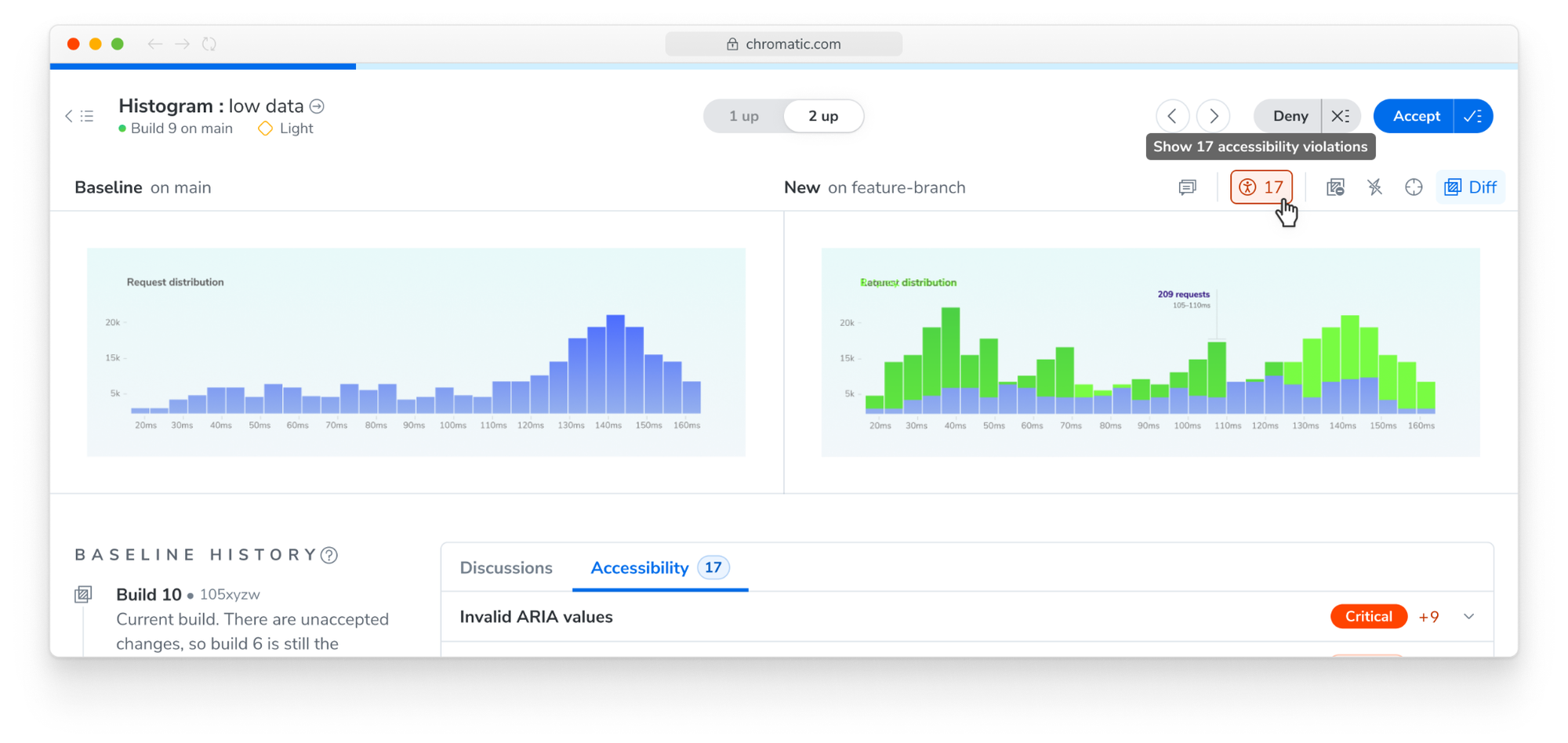
Several users reported that new violations were easy to miss and requested a clearer way to highlight tests with issues. We've responded by adding a more noticeable violation count to the snapshot toolbar.
Improved accessibility panel for faster triage
We've streamlined the accessibility panel workflow to help you understand and address violations more efficiently:
- Smart sorting: Violations now appear sorted by severity first, followed by total count.
- Auto-open on new violations: The panel opens automatically when a test has new accessibility violations.
- Auto-expand single violations: If there is only one new violation, its details expand automatically.
- Show accepted violations: The panel is now always visible, even when there are only previously accepted violations.

Accessibility dashboard updates: group, search and share
When managing numerous tests with violations, finding a specific one can be time-consuming. The dashboard now features a search function to help you locate tests quickly.
You can also view violations grouped by rule type, allowing you to identify the most common issues across your project. This view helps prioritize fixes that will have the broadest impact, such as resolving all color-contrast violations at once.
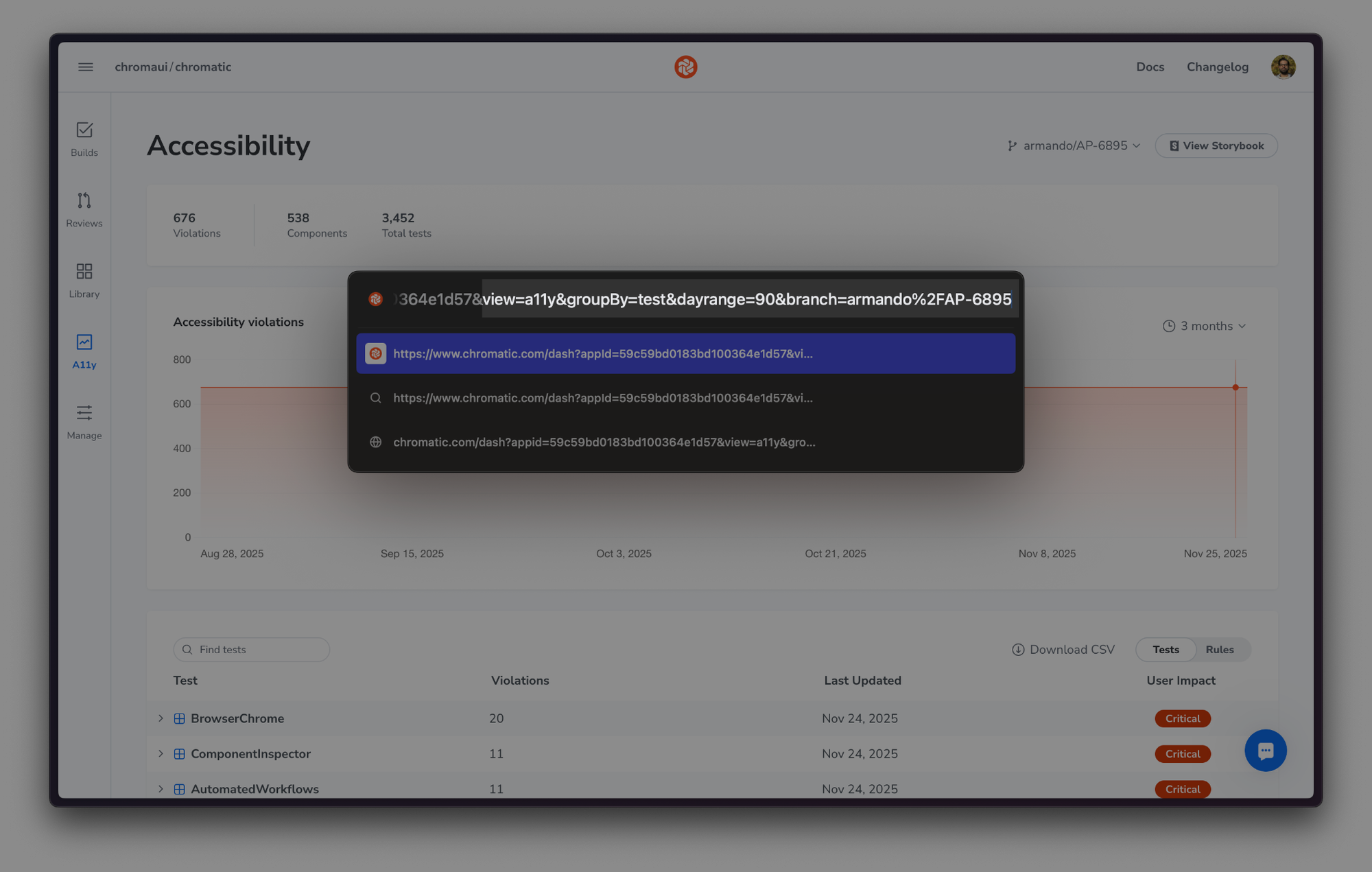
Dashboard URLs now retain selected parameters—like date range, branch, and whether you're viewing tests or rules. Share the exact state of your dashboard with teammates without needing to explain how to recreate your view.
Try accessibility testing
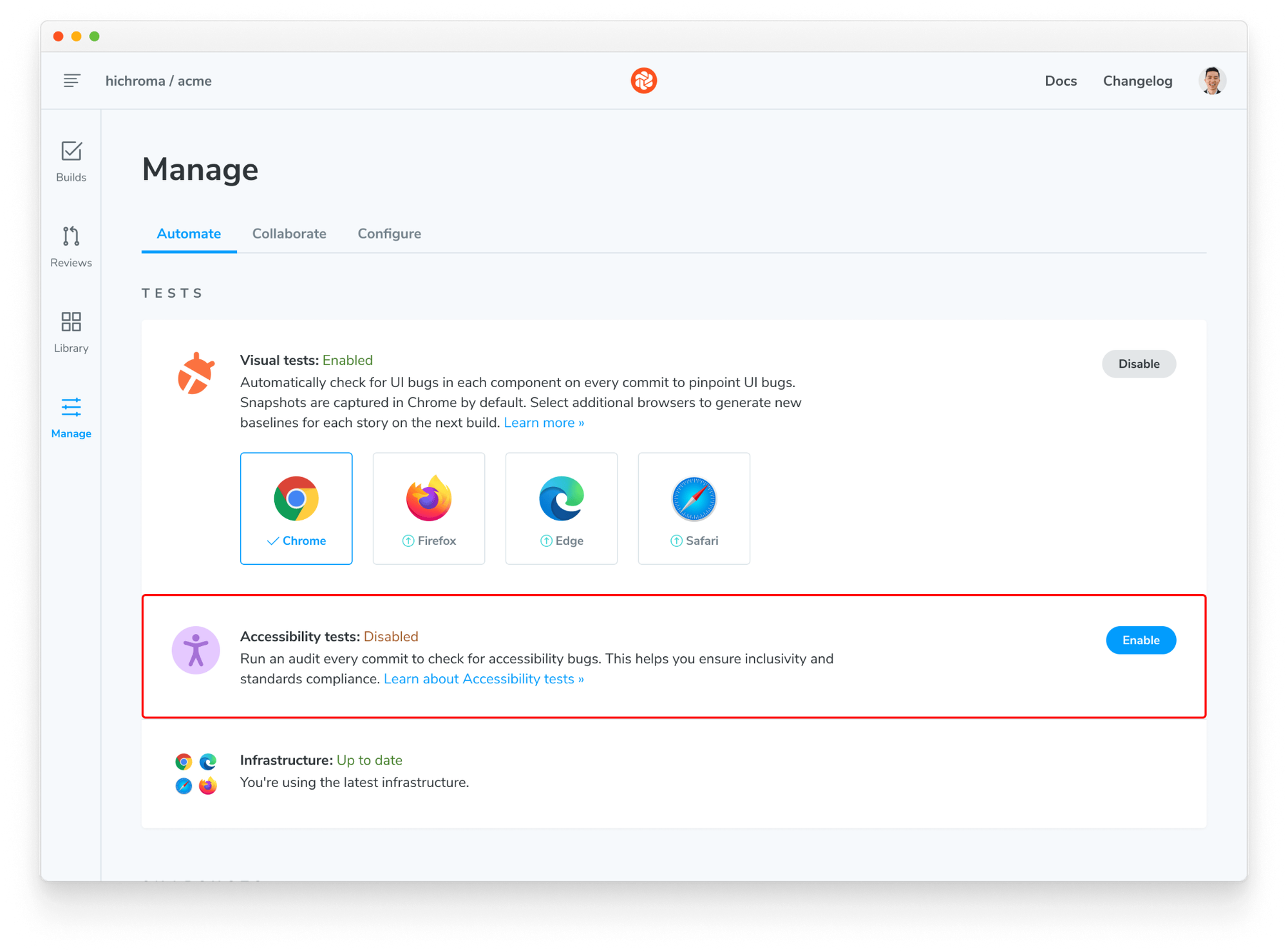
Accessibility Tests run alongside your visual tests to identify WCAG violations in every component. Enable it from your project's manage page to start surfacing issues early.
Get started with the usage guide »
Page Shift Detection updates
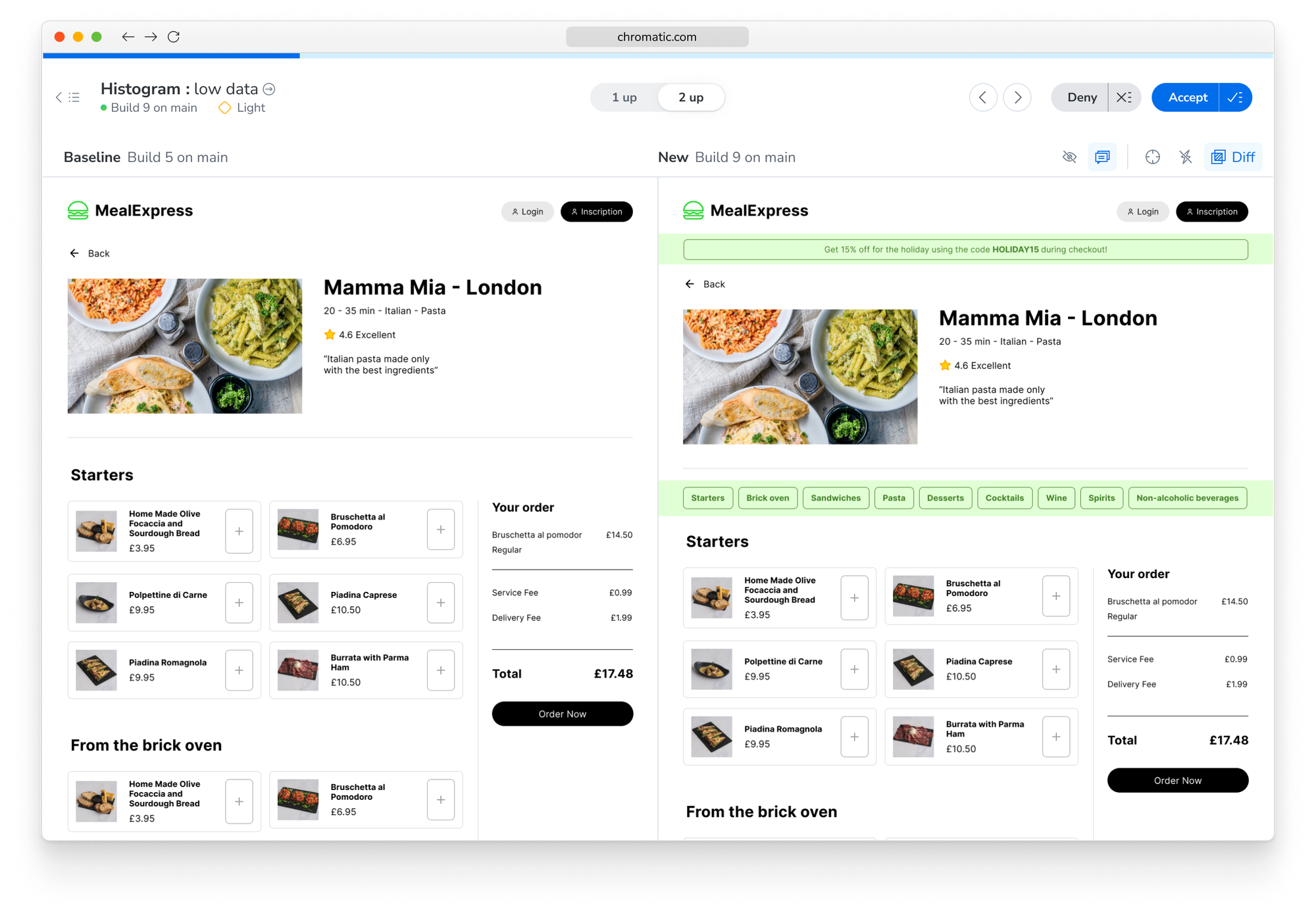
Page Shift Detection streamlines visual diff reviews by detecting vertical content shifts and excluding them from the diff. This helps highlight new additions to the UI more clearly.
Page Shift Detection now supports Accessibility Tests. The updated algorithm reduces recurring violations caused by page shift when elements are added.
Page Shift Detection now handles cases where two elements are added to the page in a single commit. Previously, Page Shift Detection would treat everything below the first addition as changed. Now, it correctly identifies that two regions were added—as long as each is at least 30px in height—and highlights only the genuine changes.